9 Best OBD2 Scanners for iPhone (October 2026)
The best OBD2 scanners that work with iPhone include the OBDLink MX+ Bluetooth Scanner for app flexibility, the BlueDriver Bluetooth OBD2 Scanner for guided diagnostics, and the OBDLink CX Bimmercode Adapter for BMW coding.
On this page (8 sections)
- How we chose the best OBD2 scanner for iPhone
- How these iPhone OBD2 scanners differ
- Which OBD2 scanner for iPhone suits each driver?
- How to choose an iPhone OBD2 adapter for your car
- How do you set up an OBD2 scanner with an iPhone?
- What mistakes should you avoid with an iPhone OBD2 scanner?
- How should you care for and use a Bluetooth adapter?
- Which OBD2 scanner for iPhone should you choose?
The OBDLink MX+ is the best OBD2 scanner for iPhone if you want broad app support, while BlueDriver stands out for guided repair reports and the OBDLink CX fits compatible BMW and Mini coding. Your choice should follow the job: basic engine codes, enhanced system access, live data, coding or service work.
An iPhone adapter is only one part of the setup. The app determines how you connect, which data you can see and whether features such as ABS codes or resets are available for your car.
For a plain overview of tool types, start with our car diagnostic tool buying guide. If your phone does not pair with an adapter, see common OBD2 scanner connection fixes.
Our picks at a glance
-
1

-
2

-
3

- 4
 Check it
XTOOL A30M Bluetooth Bidirectional Scanner
Best for active tests - 5
 Best for repair guidanceCheck it
 - 6
 Best for Carista usersCheck it
 - 7
 Best for basic code checksCheck it
 - 8
 Best for service resetsCheck it
 - 9
 Check it
TOPDON Carpal Bluetooth Scanner
Best for multiple cars
How we chose the best OBD2 scanner for iPhone
The right iPhone scanner pairs with iOS and supports the functions you need on your vehicle. We compared the stated app support, diagnostic coverage, live data, service features and ongoing app costs.
An adapter's Bluetooth connection does not guarantee that every app or vehicle feature will work. Check the adapter's compatibility information and the app's vehicle guide for your make, model and year before you buy.
How these iPhone OBD2 scanners differ
These scanners range from standard code readers to tools for coding, full-system scans and active tests. The comparison table shows their main distinctions, while specific coverage still depends on the vehicle and app.
| Product | Best for | Phone support | App support | Extra coverage | Our score |
|---|---|---|---|---|---|
| OBDLink MX+ Bluetooth Scanner | app flexibility | iPhone, Android and Windows | OBDLink and selected third-party apps | Select enhanced OEM systems and live parameters | 9.2 |
| BlueDriver Bluetooth OBD2 Scanner | guided diagnostics | iOS and Android | 9.0 | ||
| OBDLink CX Bimmercode Adapter | BMW coding | iOS and Android | 8.4 | ||
| XTOOL A30M Bluetooth Bidirectional Scanner | active tests | iOS and Android | 8.0 | ||
| TOPDON TopScan Lite | repair guidance | iOS and Android | 8.0 | ||
| Carista EVO Bluetooth Scanner | Carista users | iOS and Android | 7.8 | ||
| Veepeak OBDCheck BLE+ | basic code checks | iOS and Android | 7.5 | ||
| TOPDON TopScan Pro Bluetooth | service resets | iOS and Android | 7.4 | ||
| TOPDON Carpal Bluetooth Scanner | multiple cars | iOS and Android | 6.9 |
Which OBD2 scanner for iPhone suits each driver?
The best pick depends on what you want to learn or do with your car. These options cover distinct use cases, so compare the app terms and vehicle support before picking one.
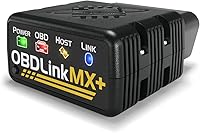
OBDLink MX+ Bluetooth Scanner: Best for app flexibility
- Works with iPhone, Android and Windows
- Recommended for several third-party apps
- Enhanced OEM support for select makes
- Reads more live parameters than basic scanners
Broad app support makes the MX+ a flexible adapter for iPhone owners who may use different diagnostic apps. Its enhanced OEM support can reach more live parameters on supported vehicles.
Pros
- Works across iPhone, Android and Windows
- Recommended for several named apps
- Over-voltage and battery drain protection
Cons
- Check the app and vehicle guides for supported features
- Advanced functions depend on the app and vehicle
The OBDLink MX+ is the most flexible pick for iPhone owners who want app choice. OBDLink recommends it for apps including FORScan, Torque, BimmerCode, Dashcommand, AlfaOBD and Carista.
Its enhanced OEM support covers select systems for Ford, GM, Mazda, Nissan and Infiniti, Toyota and Lexus, Honda, Hyundai and Kia. OBDLink says it can show more live parameters, including ABS, SRS and TPMS data, on supported vehicles.
The included OBDLink app can access, graph, log and export real-time engine data. The adapter includes over-voltage and battery-drain protection, with an intelligent sleep mode.
Choose the MX+ if you expect to use different apps or need more than standard engine codes. Skip it if you only want a simple check-engine scan and don't need its broader app options.
BlueDriver Bluetooth OBD2 Scanner: Best for guided diagnostics
- iOS and Android app
- Enhanced diagnostics on supported vehicles
- Verified repair reports matched to VIN
- Live data and freeze frames
BlueDriver pairs its iPhone app with code definitions, causes and technician-verified repair reports matched to the vehicle VIN. Enhanced system coverage varies by vehicle, so check compatibility first.
Pros
- Repair reports matched to VIN
- Reads live data and freeze frames
- No subscription fees
Cons
- Enhanced coverage varies by vehicle
- EV diagnostic systems may be proprietary
BlueDriver suits drivers who want code explanations and repair information alongside scan results. Its iPhone app provides code reading and clearing, live data, freeze frames, smog readiness and repair reports matched to the vehicle VIN.
On supported vehicles, BlueDriver can access enhanced diagnostics for systems such as ABS, SRS, airbag, TPMS and transmission. Its stated coverage includes 1996-and-newer North American gasoline vehicles and select light-duty trucks and diesels, but exact enhanced features depend on the vehicle.
The app is included, and BlueDriver says there are no subscription fees or account requirement. That's a clear fit for a driver who wants a single app to interpret a code and see related repair information.
Choose BlueDriver for guided reports and regular household-car scans. Skip it if your priority is coding or a particular service reset, since those aren't its main selling points.
For help understanding a result, read how to read OBD2 codes from your car.
OBDLink CX Bimmercode Adapter: Best for BMW coding
- Made for BimmerCode
- iOS and Android pairing
- OBDLink app for live data and diagnostics
- BimmerCode app sold separately
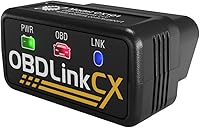
The CX is designed for BimmerCode and is recommended by its team, making it a focused choice for compatible BMW and Mini coding tasks. It also pairs with the OBDLink app for diagnostics and live parameters.
Pros
- Designed for BimmerCode
- Low-current sleep mode and overvoltage protection
- OBDLink app included
Cons
- BimmerCode app costs extra
- Confirm vehicle and feature support in both apps
The OBDLink CX Bimmercode Adapter is the focused choice for compatible BMW and Mini owners who want to use BimmerCode. The adapter is made for BimmerCode and recommended by its team, with in-app pairing for iOS and Android.
BimmerCode is sold separately, so include the app in your decision. The CX also works with the included OBDLink app for live parameters, diagnostics and check-engine light clearing.
Its low-current sleep mode and overvoltage protection are designed to allow it to stay plugged in. Check both BimmerCode and OBDLink compatibility information before relying on a coding or diagnostic feature.
Choose the CX when BMW coding is the main job. Skip it for a general-purpose adapter if you don't plan to use BimmerCode.
For a plain explanation of app and adapter pairing, see what a BimmerCode adapter does.
XTOOL A30M Bluetooth Bidirectional Scanner: Best for active tests
- iOS and Android support
- Bidirectional control
- Full system diagnostics
- 26 reset and relearn functions
The A30M gives iPhone users access to bidirectional tests and broader system scans through a phone app. Its active tests and service functions depend on the vehicle, so verify coverage by VIN.
Pros
- Can send commands for supported active tests
- Scans available vehicle systems
- Lifetime free software updates
Cons
- Some FCA vehicles require a separate AutoAuth account
- Service functions vary by vehicle
The XTOOL A30M Bluetooth Bidirectional Scanner fits iPhone users who need active tests and service functions through an app. Its bidirectional control can send commands for supported components, while its full-system diagnostics cover available systems such as engine, transmission, ABS and SRS.
The A30M lists reset and relearn functions such as oil reset, electronic parking brake reset, steering angle reset and throttle-body relearn. These functions vary by vehicle, and FCA AutoAuth access for some Chrysler, Jeep, Dodge and Fiat vehicles requires a separate account and payment.
Up to 8 live data streams can be graphed at once. That can help you compare readings, but verify your vehicle's support for the systems and tests you plan to use.
Choose the A30M if active tests are part of your repair process and you want lifetime free software updates. Skip it if you only need to read a check-engine code, since its broader functions add complexity without helping that simple task.
TOPDON TopScan Lite: Best for repair guidance
- iOS and Android support
- Full system scanning
- Bidirectional control
- First year of advanced features included
TopScan Lite combines full system scans with active tests and repair information in a phone-based setup. Advanced features are included for the first year, with subscription options afterward.
Pros
- Full system scanning
- Active tests for supported components
- Repair database and code guidance
Cons
- Advanced features require a subscription after the first year
- Gateway account access may be required for some vehicles
TOPDON TopScan Lite pairs an iPhone with full-system scanning, code reading and repair information. It also offers bidirectional control to test supported parts such as injectors, cooling fans, headlights, windows and wipers.
Core diagnostics continue, while advanced features such as bidirectional control, service functions, live data, code clearing and AI features are included for the first year. Continuing those features afterward requires a monthly, quarterly or annual subscription.
The app includes a repair database with code guidance, technical service bulletins and diagnostic-port locations. Some gateway access requires your own account, so check what your vehicle needs.
Choose TopScan Lite if full-system scans and guided information matter and you're comfortable deciding later whether to subscribe. Skip it if you want a tool with no time limit on advanced features.
Carista EVO Bluetooth Scanner: Best for Carista users
- Works with iOS and Android
- Basic OBD2 features included
- Advanced features require a paid subscription
- Supports select vehicle customizations
Carista EVO makes sense if you want to use the Carista app for diagnostics, live data or supported customizations. Advanced diagnostics, service tools and customizations require a paid subscription.
Pros
- Works with iPhone and Android
- Basic OBD2 functions available
- Supports select vehicle customizations
Cons
- Advanced features require a paid subscription
- Vehicle coverage differs by make and model
Carista EVO is most useful if you want to use the Carista app for supported diagnostics, service tasks, live data or vehicle customizations. It works with iOS and Android and supports a range of makes, including Toyota, Lexus, Nissan, Volkswagen, Audi and BMW.
Basic OBD2 features are available after purchase, but advanced diagnostics, live data parameters, service tools and customizations require a paid Carista app subscription. That ongoing cost matters if you plan to use the specialized features.
The Carista app's advanced features work on select models, so a make appearing in compatibility information does not guarantee every function. Check your exact model and year in the app before choosing it.
Choose EVO if you already prefer Carista's app and the supported features match your car. Skip it if you want advanced functions without a recurring subscription.
Veepeak OBDCheck BLE+: Best for basic code checks
- Bluetooth LE for iOS and Android
- Reads and clears standard trouble codes
- Shows freeze frames and live sensor data
- Requires a compatible third-party app
The BLE+ is a straightforward choice for standard OBD-II checks when you already have a compatible app in mind. Advanced system access and app features depend on the vehicle and third-party software.
Pros
- Supports Bluetooth LE for iPhone
- Reads standard codes and freeze-frame data
- Works with several named apps
Cons
- No app is included
- Special service functions are not supported
Veepeak OBDCheck BLE+ is a practical option for standard OBD-II checks with a compatible iPhone app. It can read and clear check-engine trouble codes, show freeze-frame information, display readiness status and report live sensor data.
You need to install a third-party app, such as Car Scanner ELM OBD2 or OBD Fusion. Some apps or features may cost extra, and advanced data depends on the car's make, model and year.
The BLE+ does not support special functions such as injector coding, electronic parking brake reset, ABS bleeding or oil service resets. Advanced ABS, SRS or TPMS diagnostics may be available through certain apps for certain vehicles.
Choose it if you want standard OBD-II information and don't mind choosing an app yourself. Skip it if you need service resets, a built-in repair app or guaranteed access to advanced systems.
TOPDON TopScan Pro Bluetooth: Best for service resets
- iOS and Android support
- Full system diagnostics and active tests
- 13+ service reset functions
- One year of advanced feature access
TopScan Pro targets iPhone users who want active tests, repair information and service functions in one Bluetooth tool. Advanced features are included for one year, while core diagnostics remain available afterward.
Pros
- Active tests and full system diagnostics
- Includes repair guides and technical service bulletins
- Core OBD2 diagnostics remain free for life
Cons
- Advanced features require renewal after the first year
- Gateway access can involve separate yearly fees
TOPDON TopScan Pro Bluetooth is a phone-based option for buyers who want full-system code reading, active tests and service resets. TOPDON lists 13 or more service functions, including oil reset, EPB, BMS, steering angle, DPF, injector coding and throttle relearn.
Core OBD2 diagnostics remain available for life, while advanced functions such as bidirectional control, service functions, live data and code clearing include one year of access. After that, you can renew access or continue with core diagnostics.
The tool also includes repair guides, technical service bulletins and a warning-light library. Gateway access may involve yearly fees, and coverage can vary by vehicle, so check before relying on a specific function.
Choose TopScan Pro if you expect to use its service tools and repair information from your phone. Skip it if you won't use advanced features after the included year, or if core code reading is all you need.
TOPDON Carpal Bluetooth Scanner: Best for multiple cars
- iOS and Android support
- All-system vehicle health check
- Six special maintenance functions
- Repair guides and live data
Carpal is aimed at households that scan more than one compatible make and want system checks and repair guidance from a phone. Confirm exact vehicle support and which maintenance functions apply before buying.
Pros
- Supports more than 90 vehicle brands, according to TOPDON
- Shows live data in graphs and gauges
- Most functions can be used permanently for free
Cons
- Six special functions may have limits by vehicle
- Confirm compatibility with TOPDON before buying
TOPDON Carpal Bluetooth Scanner suits households that want to scan several compatible vehicles from a phone. TOPDON says it supports more than 90 vehicle brands and can check systems, display live data in graphs or gauges, and provide code repair guides.
It also offers six maintenance functions, including oil reset, TPMS reset, battery management reset, electronic parking brake reset, throttle adaptation and DPF regeneration. Those functions can vary by vehicle, so verify the exact match before counting on one.
The scanner supports iOS and Android, and TOPDON says all functions except the six special features can be used permanently for free. That's useful if you want recurring basic scans across compatible cars without paying for access to all functions.
Choose Carpal for multi-car households that value repair information and ongoing basic access. Skip it if you need one particular reset or system function and haven't confirmed support for each car.
How to choose an iPhone OBD2 adapter for your car
Choose an adapter by the diagnostic task you need it to handle, not just by its Bluetooth connection. A basic code reader, a multi-system scanner and a coding adapter serve different purposes.
Which OBD2 scanner for iPhone fits basic code reading?
For basic engine codes and live sensor readings, Veepeak OBDCheck BLE+ covers standard OBD-II functions when used with a compatible app. BlueDriver also reads codes through its own app and adds repair reports and freeze-frame information.
If you only need to understand a warning light, start with what the check engine light means. A code points toward a system or fault condition, but it does not by itself prove which part needs replacement.
Which iPhone scanner can access more vehicle systems?
BlueDriver, OBDLink MX+, XTOOL A30M and TOPDON's TopScan models describe enhanced or full-system diagnostics. Actual access depends on your car, the app and the scanner's supported functions.
Check for the exact system you care about, such as ABS, SRS, transmission or TPMS. Generic OBD-II support usually focuses on emissions-related engine diagnostics.
Do you need an iPhone scanner for service resets or active tests?
Choose a tool that names the reset or active test you need, then confirm it works with your car. XTOOL A30M and TOPDON TopScan models list active tests, while Carista EVO and TOPDON Carpal offer certain service functions.
Read the access terms alongside the feature list. Some features vary by car, and TopScan Lite and TopScan Pro have time-limited access to advanced functions.
Does your OBD2 scanner app need a subscription?
App costs differ across these adapters. BlueDriver says its app has no subscription fees, while Carista requires a paid subscription for advanced features and the TopScan models have subscription terms for some advanced access.
App support also affects how you get started. OBDLink MX+ is recommended for several third-party apps, while Veepeak OBDCheck BLE+ requires you to choose a compatible app separately.
How do you set up an OBD2 scanner with an iPhone?
Start by checking the app's requirements and the vehicle's compatibility before plugging in the adapter. This avoids pairing an iPhone successfully only to find that the app or car doesn't support the function you need.
- Install the correct app. Use the scanner's companion app or a compatible third-party app. If the app or a feature is sold separately, account for that before starting.
- Park safely. Follow the tool's instructions and keep the car stationary while you plug the adapter into the OBD-II port. If you need help finding the socket, see where the OBD2 port is in a car.
- Connect from inside the app. Some adapters require you to select a connection type and pair in the app instead of the iPhone's general Bluetooth settings. Veepeak BLE+ specifically uses Bluetooth LE for iPhone.
- Select the vehicle profile. Enter or confirm your make, model and year if the app asks. Some apps use the VIN to match repair information.
- Run a scan and save the results. Read the code descriptions and any available freeze-frame or live data before clearing a fault. Keeping a record makes it easier to compare results or explain the issue to a repair shop.
If the adapter doesn't connect, confirm that the car is on as directed, Bluetooth is enabled and the app is using the right adapter type. Our OBD2 scanner connection fixes cover common pairing and communication problems.
What mistakes should you avoid with an iPhone OBD2 scanner?
The most common mistake is treating a code as a diagnosis of a failed part. A code identifies a condition the vehicle detected, so read the explanation, check symptoms and use live or freeze-frame data where available before deciding what to repair.
Don't assume that iOS compatibility means every system is covered. A scanner may work with the iPhone but still lack support for a particular car's ABS, airbag, transmission or service functions.
Avoid clearing codes before saving them. Clearing can erase useful context, and it does not repair the cause of a warning light.
Don't leave an adapter plugged in indefinitely unless its design and the vehicle make that appropriate. The MX+ includes battery-drain protection and the CX has a low-current sleep mode, but check the specific guidance for other adapters and unplug when the vehicle will sit for a long time.
How should you care for and use a Bluetooth adapter?
Keep the adapter and phone app ready before a warning light appears. Update the app and adapter firmware when available, and check compatibility again if you change vehicles or add a new diagnostic app.
Store the adapter where its connector won't collect dirt or get knocked around. If you use more than one app, label which app works with which vehicle and note any separate purchases, subscriptions or gateway accounts.
For a pre-purchase scan, use the scanner as one source of information. Save codes and readiness results, and arrange a qualified inspection if the vehicle's history or condition calls for one.
Which OBD2 scanner for iPhone should you choose?
Choose OBDLink MX+ if you want broad support for different iPhone diagnostic apps, or BlueDriver if you want an included app with VIN-matched repair reports. BMW and Mini owners focused on BimmerCode should consider OBDLink CX.
For active tests and service functions, compare XTOOL A30M and the TOPDON TopScan options, paying attention to vehicle support and subscription terms. Pick Veepeak BLE+ for standard OBD-II basics, Carista EVO for its app ecosystem, or TOPDON Carpal for households with compatible vehicles from several makes.
Before you buy, match your exact car and desired feature to the app's compatibility guide. For broader advice on diagnostic coverage, see our OBD2 scanner guide with live data.
Our top 3 picks at a glance
-
1
-
2
-
3
Frequently asked questions
What should I check before buying an OBD2 scanner for iPhone?
Check that the adapter works with iOS, then confirm the app supports your car's make, model and year. Compare the functions you need, such as basic engine codes, ABS access, live data or service resets.
Some features need a separate app purchase or subscription.
Can an iPhone OBD2 scanner read ABS or airbag codes?
Some can, but the vehicle and app must support those systems. BlueDriver and several advanced scanners advertise enhanced system access for supported vehicles.
A basic OBD-II adapter may only cover emissions-related engine codes, so confirm exact coverage before relying on it.
Do iPhone OBD2 scanners need a paid app?
It depends on the scanner and the features you want. BlueDriver includes access to its iOS app without subscription fees, while the OBDLink CX works with BimmerCode, which is sold separately.
Carista charges a subscription for advanced features.
Will an iPhone scanner work with every car?
No. Standard OBD-II support covers many vehicles, but enhanced diagnostics and service features vary by make, model and year.
Some EV systems are proprietary, and newer vehicles may need specific protocol or gateway support.
Check compatibility with your exact vehicle details.
Can I leave a Bluetooth OBD2 adapter plugged in?
Only do so if the adapter's design and your vehicle make it suitable. The OBDLink MX+ includes battery-drain protection, and the CX has a low-current sleep mode.
For other adapters, follow the maker's guidance and unplug it when the car will sit for a long time.