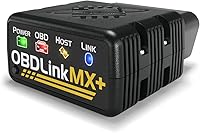
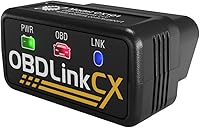
Carista vs OBDeleven: Which Is Better? (October 2026)
Choose Carista for basic OBD2 checks and selected vehicle-specific tools, or OBDeleven for manual coding on supported cars. Check your vehicle and the feature you need before buying.
On this page (9 sections)
- Carista vs OBDeleven: what is the main difference?
- Which scanner fits your vehicle?
- How do the apps and ongoing costs differ?
- Which tool works better for routine maintenance?
- What should you check before the first scan?
- What common buying mistakes should you avoid?
- Who should buy OBDeleven, and who should skip it?
- Who should buy Carista EVO, and who should skip it?
- Carista vs OBDeleven: which one should you choose?
For carista vs obdeleven, choose Carista for basic OBD2 checks and selected service tools, or OBDeleven for manual coding on supported vehicles. Your make, model year and intended task matter more than the adapter’s broad compatibility list.
Both devices connect to a phone over Bluetooth, but their paid features work differently. Carista EVO enables basic OBD2 features, while its advanced diagnostics, service tools, live data parameters and customizations require a Carista App subscription.
The OBDeleven 3 Pro Pack includes a 12-month PRO plan and 100 Credits for One-Click Apps. PRO covers manual coding and adaptations on supported vehicles; Credits are used for separate pre-coded app activations.


Carista vs OBDeleven: what is the main difference?
OBDeleven is the stronger fit for manual coding on supported vehicles, while Carista offers basic OBD2 use with optional advanced tools. Their coverage and functions vary by vehicle, so compare the exact job you want to do before picking an adapter.
The OBDeleven 3 Pro Pack bundles a device, a 12-month PRO plan and 100 Credits. The plan enables manual coding, adaptations and other advanced functions on supported makes, while One-Click Apps use Credits separately.
Carista EVO provides basic OBD2 features without an advanced subscription. A paid Carista App subscription is required for advanced diagnostics, service tools, live data parameters and vehicle customizations.
Both brands are officially licensed by the Volkswagen Group. OBDeleven also lists support from the BMW Group, Toyota Group and US-made Ford Group, with expanded functions available for supported vehicles in those groups.
Which scanner fits your vehicle?
Check your exact make, model year and equipment in each app before buying, because a brand appearing on a compatibility list does not guarantee every feature. The difference between basic engine diagnostics and vehicle-specific control modules can be substantial.
Carista supports selected vehicles from many makes, including Toyota, Lexus, Nissan, Volkswagen, Audi, BMW, Ford, Honda, Hyundai and Volvo. Its basic OBD2 features are distinct from advanced features that depend on the vehicle and a subscription.
OBDeleven provides full functionality for supported Volkswagen Group, BMW Group, Toyota Group and US-made Ford Group vehicles. On most other modern cars, it provides standard engine and transmission OBD2 diagnostics rather than full access to vehicle systems.
Most vehicles made before about 2008 are not supported by OBDeleven, though Volkswagen Group support is described from about 1991 onward. For older vehicles, confirm protocol and model coverage before ordering either adapter.
A useful compatibility check starts with the task, not just the badge on the car. Write down the system you want to scan or the service task you need, then look for that exact function under your vehicle’s model year and equipment.
Carista vs OBDeleven for Volkswagen and Audi
OBDeleven has the clearer fit for manual Volkswagen and Audi coding, while Carista supports selected vehicles with diagnostics and customizations. OBDeleven describes Volkswagen Group support from about 1991 onward and SFD access on supported newer vehicles.
Carista EVO also accesses SFD-locked settings on supported Volkswagen Group vehicles. Coverage varies by model and function, so check the app for your car before choosing either option.
If you are comparing more tools for these makes, see our guide to diagnostic scanners for VW and Audi. Choose based on the control unit or task you need to reach, not the manufacturer name alone.
Carista vs OBDeleven for BMW
OBDeleven suits BMW owners seeking advanced diagnostics or coding on supported models, while Carista covers selected BMWs. OBDeleven describes support for F, G and I Series and most E Series from about 2008 onward.
Carista’s BMW features depend on the specific vehicle, and its advanced tools require a subscription. If you need a particular service function or customization, check that function against your model before paying for an adapter or plan.
BMW owners considering phone-based coding can also read what a BimmerCode adapter does. That guide can help clarify whether your goal is coding, routine diagnostics or maintenance access.
How do the apps and ongoing costs differ?
Carista requires a subscription for advanced features, while OBDeleven separates its PRO plan from One-Click App Credits. Think about whether you want recurring access to a range of advanced tools or occasional activations of specific pre-coded functions.
Carista’s basic OBD2 features include code access, live data, emissions checks and an acceleration test. Advanced diagnostics, service tools, live data parameters and customizations require a paid Carista App subscription, with one-month and 12-month plan options.
The OBDeleven PRO Pack includes a 12-month PRO plan and 100 Credits. PRO enables manual coding and adaptations on supported cars, but the plan itself does not include One-Click Apps.
One-Click Apps use Credits and charge per activation. Availability depends on the brand, model and equipment, and Credits are tied to the account and generally non-refundable once used.
Before choosing, sort your likely tasks into two groups: things you may repeat, such as diagnostics, and one-time changes, such as a pre-coded customization. Then verify whether each job requires Carista’s subscription, OBDeleven PRO or OBDeleven Credits.
Which tool works better for routine maintenance?
Both can support selected DIY tasks, but the available service functions depend on your vehicle and app access. Treat the scanner as a way to gather information and run supported functions, not as a substitute for confirming the cause of a fault.
Carista offers basic OBD2 access and selected advanced service tools. Depending on the vehicle, its features can include an oil reset, electronic parking brake service or battery registration.
OBDeleven’s use cases include service resets, battery registration and brake pad replacement mode. Some maintenance tasks may be One-Click Apps and require Credits, while other advanced operations may require PRO.
A good habit is to read the relevant instructions before changing a setting or starting a service procedure. Save the original values where the app allows it, make one change at a time, and confirm the vehicle’s requirements before working on brakes, batteries or emissions systems.
After a repair, read the fault again and check whether it returns. A diagnostic code points to a system or condition and does not always identify the failed part; our guide on how to read OBD2 codes explains how to use code details without jumping to a parts replacement.
What should you check before the first scan?
Install the correct app, confirm phone and vehicle compatibility, and follow the app’s connection prompts before scanning. Both devices rely on a compatible smartphone, an available vehicle OBD2 port and Bluetooth pairing.
For OBDeleven, the stated phone requirements are Android 8.0 or newer and iOS 16.6 or newer. Carista EVO works with Android and iOS, but phone support alone does not confirm that advanced functions work with your vehicle.
Locate the OBD2 port before starting and park safely with the ignition state required by the app. Avoid changing coding or service settings while driving, and keep a stable internet connection available for features that require the app to reach online services.
If the adapter does not appear in the app, check that it is seated fully, Bluetooth is on and the app has the permissions it requests. Close other OBD apps that may already be connected, then restart the app and follow its pairing instructions.
Do not assume a connection problem means the car is incompatible. See common fixes for an OBD2 scanner that will not connect for a short troubleshooting sequence.
What common buying mistakes should you avoid?
The biggest mistake is buying for a brand name without checking the exact feature and vehicle. A scanner can support basic engine diagnostics on a car while lacking the coding or service access you hoped to use.
Another mistake is confusing the OBDeleven PRO plan with One-Click Apps. PRO provides manual coding and adaptations on supported vehicles, while app activations use Credits; having one does not automatically include the other.
Carista buyers can also overlook the subscription requirement for advanced functions. Basic OBD2 access is available, but do not count on a service reset, advanced live data or customization until you verify it for your car and plan.
Finally, do not assume that a feature available on one model works on another model from the same brand. Model year, installed equipment and supported control units can change what the app can do.
Who should buy OBDeleven, and who should skip it?
Buy OBDeleven 3 Pro Pack if your supported vehicle needs manual coding, adaptations or broader system diagnostics. It is especially relevant for supported Volkswagen Group vehicles and the listed BMW, Toyota and US-market Ford coverage.
The included PRO plan and Credits address different needs. It suits an owner who has identified a specific coding job and is willing to check whether it is a manual PRO function or a Credit-based One-Click App.
Skip it if you only need basic engine and transmission code reading on a car outside its advanced coverage, or if your vehicle is older and compatibility is uncertain. Also skip the PRO Pack if you do not plan to use manual configuration or advanced functions, since the main included value is tied to those capabilities.
Who should buy Carista EVO, and who should skip it?
Buy Carista EVO if you want basic OBD2 access plus the option to subscribe for selected diagnostics, service tools and customizations. Its broad make coverage can be useful when the exact feature you need is supported for your vehicle.
It can suit a DIY owner who wants to read codes and live data, then add advanced access when a task calls for it. Before subscribing, confirm that the app includes the service tool or customization you have in mind.
Skip it if you need manual coding and adaptations as a core requirement, or if you expect advanced features to work without a subscription. It is also a poor fit when your vehicle or desired function is not confirmed in the app.
Carista vs OBDeleven: which one should you choose?
Pick OBDeleven for manual coding and adaptations on a supported vehicle; pick Carista for basic OBD2 checks with optional advanced tools on selected models. Make the final call by matching your car, phone and intended task to the app’s compatibility details.
Choose the OBDeleven 3 Pro Pack if you have a supported car and a clear reason to use PRO functions. Its 12-month plan enables manual work, while the included Credits support separate One-Click App activations.
Choose Carista EVO if basic OBD2 access is enough for now and you want the option of a paid plan for compatible service or customization features. Check the exact task and subscription need before you commit.
If neither option clearly fits, start with our plain guide to car diagnostic tools and compare the functions you need with your vehicle’s compatibility details. For a different BMW-focused phone setup, see our guide to OBD2 scanners for iPhone.
| Product | Best for | Included plan | App credits | Phone support | Our score |
|---|---|---|---|---|---|
| OBDeleven 3 Pro Pack | coding projects | 12-month PRO | 100 included | Android 8.0+, iOS 16.6+ | 8.1 |
| Carista EVO Bluetooth Scanner | routine DIY checks | Android and iOS | 7.8 |
OBDeleven 3 Pro Pack is the stronger choice for manual coding on supported cars, with PRO and One-Click Apps handled separately. Carista EVO Bluetooth Scanner fits basic OBD2 checks and selected advanced tools when you are comfortable with the subscription requirement.
Frequently asked questions
Is Carista or OBDeleven better for a Volkswagen?
Both tools are officially licensed by the Volkswagen Group and support selected Volkswagen features. OBDeleven is the stronger fit if you want manual coding and adaptations through its PRO plan.
Carista may suit you for diagnostics, service tools and customizations.
Check coverage for your exact model, year and equipment.
Does Carista require a subscription?
Carista's basic OBD2 features include code access, live data, emissions checks and an acceleration test. Advanced diagnostics, service tools, live data parameters and vehicle customizations require a paid Carista App subscription.
Check whether the specific feature you want is available for your vehicle.
Does OBDeleven include One-Click Apps?
The OBDeleven 3 Pro Pack includes 100 Credits, but the PRO plan itself does not include One-Click Apps. Those apps use Credits, and availability depends on the vehicle brand, model and equipment.
Check the app for the function and its credit requirement before relying on it.
Can Carista and OBDeleven work with iPhone?
Yes, both support iOS through their mobile apps. OBDeleven requires iOS 16.6 or newer, while Carista EVO works with iOS and Android.
Also check whether the functions you want are available for your car, since phone support alone does not confirm vehicle compatibility.
Is OBDeleven a good choice for a BMW?
OBDeleven offers advanced functions for supported BMW models, including coding and diagnostics, with coverage described for F, G and I Series and most E Series from about 2008 onward. Carista also supports selected BMW models.
Match the tool to your model year and desired functions.