What Is Freeze Frame Data on a Scan Tool?
Freeze frame data is a snapshot of engine conditions recorded when a fault code appears. It can show details such as engine speed, temperature, and fuel trim to help you understand what was happening.
On this page (7 sections)
- What is freeze frame data on an OBD2 scan tool?
- Why does a car save a freeze frame?
- How do you read freeze frame data?
- Does freeze frame data show the exact cause?
- Should you clear a code before saving the snapshot?
- How does freeze frame data differ from live data?
- What should you do with freeze frame data?
Freeze frame data is a snapshot of engine conditions recorded when a fault code appears. It can show readings such as engine speed, coolant temperature, and fuel trim, giving you context for a diagnostic trouble code.
Think of it as a brief record of what the engine was doing when the computer detected a problem. It helps you investigate the fault, but it doesn't identify the failed part by itself.
What is freeze frame data on an OBD2 scan tool?
Freeze frame data is a saved set of sensor readings tied to a diagnostic trouble code. The exact readings depend on the vehicle and the information its control module stores.
A scan tool may show engine speed, coolant temperature, vehicle speed, engine load, or fuel trim. These readings describe conditions around the time the fault was detected, not necessarily what the car is doing now.
For a broader look at the tool's role, see our plain guide to car diagnostic tools. Freeze frame is one piece of information alongside trouble codes and current readings.
Why does a car save a freeze frame?
A car may save a freeze frame to preserve clues about conditions when a fault occurs. If the issue comes and goes, the snapshot may help explain what was happening even when the engine seems normal later.
For example, engine temperature or speed may help you compare the conditions in the snapshot with the symptoms you noticed. That context can guide further checks, but it can't prove what caused the fault.
A warning light can have different causes, so use the snapshot as a starting point. Our guide to what the check engine light means explains why the light alone doesn't name a repair.
How do you read freeze frame data?
Read the trouble code first, then review the freeze frame readings connected to it. Note the code and the values before clearing anything, so you can refer to them during diagnosis.
A simple process:
- Connect a compatible scan tool and read the stored codes.
- Open the freeze frame or stored data for the relevant code, if available.
- Write down the code and displayed readings.
- Compare the snapshot with the car's symptoms and any current live data.
- Use vehicle-specific service information to decide what checks make sense.
Our guide on how to read OBD2 codes covers what codes can and can't tell you. If you want to compare current sensor readings with a stored snapshot, see OBD2 scanners with live data.
What if there is no freeze frame?
If no snapshot appears, the vehicle may not have stored one for that fault, or the scan tool may not display it. Check whether the tool supports the relevant data and whether the vehicle provides it.
You can still record the code and symptoms, then check for pending codes or other available data. Avoid clearing the code before documenting what the scanner does show.
Does freeze frame data show the exact cause?
No, freeze frame data does not confirm which part is faulty. It records conditions, so you need other checks to determine whether a sensor, wiring, air leak, or another issue is involved.
A reading outside the expected range may help narrow the investigation, but it isn't a diagnosis on its own. Trouble codes also describe detected conditions or systems rather than always naming a failed component.
If the check engine light is on, use the code and symptoms to decide what to do next. Our guide on driving with the check engine light on covers situations where you should stop or seek help.
Should you clear a code before saving the snapshot?
Record the code and freeze frame data before clearing anything. Clearing a code may remove stored information and reset readiness monitors, which can make the original conditions harder to review.
If you need to confirm a repair, first save the relevant readings and follow the vehicle's service guidance. Don't clear a warning just to switch off the light without investigating the cause.
Can a scan tool help you review freeze frame data?
A scan tool can help if it displays the data your vehicle stores. Check tool and vehicle coverage before relying on a feature, since support can vary by make, model, and year.
The Innova 5210 Code Reader provides live readings such as RPM, engine temperature, and fuel trims. These can help you compare current conditions with a stored snapshot, and coverage varies by vehicle.
The Innova SD35 ABS and SRS Scanner provides live data for engine, transmission, ABS, SRS, and other systems. Vehicle coverage varies.
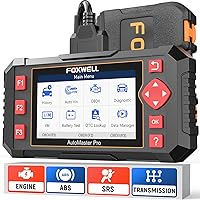
The Foxwell NT301 Code Reader displays and graphs live engine data, including RPM, fuel trims, and coolant temperature. Its functions vary by vehicle.
These tools offer different features, and live data is not the same as stored freeze frame data. Verify compatibility and the data functions you need for your vehicle before choosing a scanner.
How does freeze frame data differ from live data?
Freeze frame data is saved from around the time a fault was detected; live data shows readings as the vehicle operates now. Comparing them can help you see whether a condition has changed.
A snapshot might show a high engine temperature when a code appeared, while live data shows the temperature at the present moment. The current reading alone doesn't recreate the earlier conditions.
For a closer look at live readings, see our guide to scanners with live data. Use the information that your vehicle and tool can provide, and consult service information for proper test steps.
What should you do with freeze frame data?
Freeze frame data gives context for a trouble code, not a parts list. Save the code and snapshot, compare them with the symptoms, and use reliable diagnostic steps to investigate the cause.
Pick a basic scanner if you mainly need engine codes and readings, or a more capable tool if you need access to additional systems. Check coverage for your exact vehicle before you buy, and keep the snapshot before clearing codes.
Frequently asked questions
What does freeze frame data show?
Freeze frame data captures selected engine and vehicle conditions around the time a diagnostic trouble code was stored. Depending on the vehicle and scan tool, it may include engine speed, coolant temperature, fuel trim, vehicle speed, and other readings.
The recorded fields vary by vehicle and fault.
Does every check engine code have freeze frame data?
No. A vehicle may not save freeze frame data for every code, and some tools or vehicles may show limited information.
If you don't see a snapshot, use the trouble code and any available live data, then check the vehicle service information for the next diagnostic steps.
Can freeze frame data tell me which part to replace?
No. Freeze frame data records conditions, but it does not confirm that a specific part has failed.
Pair the snapshot with the trouble code, symptoms, and suitable diagnostic checks.
A code can point to a system or condition rather than identify the exact cause.
Does clearing a code erase freeze frame data?
Clearing a code can erase stored diagnostic information, including freeze frame data, and may reset emissions readiness monitors. Record the code and snapshot before clearing anything.
If the warning light is on, first decide whether the fault needs diagnosis or repair.