Topdon AD600S Review: Worth It? (October 2026)
The TOPDON AD600S is a four-system scanner with 9 ongoing service functions, suited to DIYers who need more than engine codes. Check your VIN against the exact scan and service tasks you plan to use.
On this page (8 sections)
- What does the TOPDON AD600S do?
- Which AD600S service functions are included?
- Does the AD600S work with your car?
- How do setup and care work?
- How should you choose between the AD600S and AD500?
- How does the AD600S compare with other scanners?
- What common AD600S buying mistakes should you avoid?
- Is the TOPDON AD600S the right scanner for you?
The TOPDON AD600S is a four-system scanner with 9 ongoing service functions, making it a fit for DIYers who want more than engine codes. This TOPDON AD600S review covers how to choose it, what setup and care involve, and when an alternative makes more sense.
The key buying question is whether your vehicle supports the specific scan or maintenance task you want to do. A broad list of supported brands doesn't guarantee every function will work on every model.
What does the TOPDON AD600S do?
The AD600S reads and clears codes, shows ECU information and displays live data for the engine, ABS, transmission and SRS systems. It also supports all 10 OBD2 test modes for check-engine and emissions-related issues.
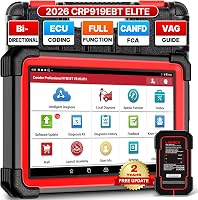
TOPDON AD600S Scanner: Best for broad DIY diagnostics

- Engine, ABS, SRS and transmission diagnostics
- 9 service functions
- 5-inch touchscreen
- Free lifetime software updates
A handheld TOPDON scanner for people who want four-system diagnostics, live data and several common service functions in one tool. Features vary by vehicle, year, make and model.
Pros
- Reads and clears codes in 4 systems
- Includes 9 service functions
- Displays live data as text or a 4-in-1 merged waveform graph
- Free lifetime software updates
Cons
- Function coverage varies by vehicle
- Wi-Fi is required for initial setup
- Needs regular charging during storage
Live data can appear as text or as a merged graph of up to 4 data streams. The scanner also has built-in DTC lookup and can save, share, print or email diagnostic reports.
These tools can help you gather information before deciding what to inspect. A trouble code points to a reported fault or condition; it doesn't identify a failed part or confirm which repair is needed.
If you're new to scan results, read how to read OBD2 codes. You can also learn what freeze-frame data means to understand the snapshot some vehicles store when a code sets.
Which AD600S service functions are included?
The AD600S includes 9 ongoing service functions for maintenance tasks, with availability determined by the vehicle. They are Oil Reset, Brake or EPB Reset, BMS Reset, SAS Reset, DPF Regeneration, TPMS Reset, Throttle or ETS Relearn, ABS Bleeding and Injector Coding.
That set spans oil reminders, electronic parking brakes, battery systems, steering-angle calibration, diesel particulate filters, tires and other service work. It can suit a home garage that handles more than routine code reading, as long as the car supports the needed function.
Thirty days after activation, the scanner automatically starts a free 30-day trial of all 30 special services. After the trial, it returns to the original 9 services, which remain available with lifetime updates.
Treat the trial as temporary access. If you plan to buy the tool for a particular reset or calibration, confirm that the function is among the ongoing services and is supported for your vehicle.
Which TOPDON AD600S functions should you confirm?
Check the exact service and vehicle combination before buying. Coverage for one system or function doesn't confirm support for another.
For example, if you need battery registration, confirm that specific function for your vehicle. Do the same for ABS bleeding, DPF regeneration or any other maintenance task that affects your decision.
Use your VIN when checking compatibility, and ask about the exact year, make, model and function if the coverage information is unclear. The best professional OBD2 scanners for home garages can help you compare service coverage across a wider range of tools.
Does the AD600S work with your car?
The scanner supports 90+ vehicle brands and many OBDII-compliant cars, SUVs, pickups, minivans and 12V light-duty vehicles from 1996 onward. It also supports CAN-FD and FCA AutoAuth gateway access, which can extend compatibility with newer vehicles.
Those details help narrow the search, but the exact year, make, model and system still matter. A vehicle can connect for basic diagnostics while lacking support for a particular service function.
Before buying, write down the job you want the scanner to handle and verify that task against your VIN. If your goal is only to read engine codes, a simpler code reader may be enough; if you need an ABS reset or another service, confirm that feature directly.
How do setup and care work?
Initial setup requires Wi-Fi, and Wi-Fi is also needed to install software updates. Once setup is complete, most basic diagnostics can be used offline.
The scanner has a 5-inch touchscreen, runs Android 11 and includes 32GB of storage. AutoVIN can identify a vehicle automatically, but that feature depends on the vehicle, so be ready to select vehicle details manually if needed.
TOPDON advises charging the scanner at least once a week, even while it is stored. Prolonged deep discharge may prevent it from powering on, so include charging in your routine if the tool spends long periods on a shelf.
A practical setup sequence is straightforward: charge the scanner, connect it to Wi-Fi, complete setup and install available updates. Then connect it to the vehicle and choose the relevant system or diagnostic task.
How should you choose between the AD600S and AD500?
Choose the AD600S when its additional ongoing service functions match work you expect to do. Both scanners cover engine, ABS, SRS and transmission diagnostics, and both have a 5-inch display.
The AD600S includes 9 ongoing services. The AD500 lists 6 reset functions: Oil, SAS, Throttle, TPMS, BMS and EPB.
The AD600S adds DPF Regeneration, ABS Bleeding and Injector Coding to its listed ongoing services.
The AD500 can suit you if its six functions cover your planned maintenance and you don't need those additional tasks. The AD600S makes more sense when one of its extra functions matters and your vehicle supports it.
Don't choose based only on the number of services. A longer function list has little value if your vehicle can't use the particular reset or calibration you need.
Compare the exact task and vehicle coverage first, then see our guide to TOPDON scanners for more options from the brand.
How does the AD600S compare with other scanners?
The AD600S sits between a four-system scanner focused on code checks and an alternative with a longer service-function list. Your choice depends on whether maintenance functions, location limits or system coverage matter most.
The Foxwell NT604 Elite scans engine, ABS, SRS and transmission, and includes live data and a DTC library. It does not support maintenance functions such as oil reset, battery registration, ABS bleeding or throttle relearn, so skip it if one of those tasks is essential.
The BLCKTEC 460T lists 12+ service functions, live data and freeze-frame data. Its scanner and RepairSolutions2 app are limited to use in the USA and Canada, and function availability depends on the vehicle.
For a wider brand comparison, read Autel vs Launch scan tools. Compare alternatives by the work you need to do, the supported vehicle and any regional limits.
What common AD600S buying mistakes should you avoid?
The most common mistake is treating broad brand coverage as proof that every function works on your car. Check your VIN and the specific diagnostic or service task before you buy.
Another mistake is counting all 30 trial services as permanent features. The ongoing set is 9 functions; after the temporary trial, the scanner returns to that original set.
Don't assume clearing a code repairs the cause. Read the code, consider the other information available and address the underlying issue before clearing it; a warning may return if the fault remains.
Finally, don't leave the scanner uncharged for months. Weekly charging during storage helps protect battery health and reduces the chance that prolonged deep discharge will keep it from powering on.
Is the TOPDON AD600S the right scanner for you?
The TOPDON AD600S suits a DIY garage that needs four-system diagnostics and at least one of its 9 ongoing service functions. It is also a sensible choice if you want live data, report sharing and free lifetime software updates in a handheld scanner.
Choose the AD500 if its six listed reset functions cover your needs. Choose the Foxwell NT604 Elite if you want four-system code checks and live data without maintenance resets, or consider the BLCKTEC 460T if you need more service functions and use the scanner in the USA or Canada.
Skip the AD600S if you only need basic engine-code reading, or if you can't confirm support for the service task that motivated the purchase. Check your VIN against that function first, then compare the best professional OBD2 scanners for home garages if you want to weigh more options.
Frequently asked questions
What systems does the TOPDON AD600S scan?
The AD600S provides diagnostics for the engine, ABS, SRS and transmission systems. It can read and clear trouble codes, show ECU information and display live data.
Specific functions depend on your vehicle's year, make, model and system.
Check coverage for the jobs you plan to do.
Does the TOPDON AD600S need a subscription?
The AD600S includes free lifetime software updates and doesn't require an annual update subscription. Wi-Fi is required for initial setup; after setup, most basic diagnostics can be used offline.
Connect it to Wi-Fi when you need to install software updates.
Which service functions come with the AD600S?
Its 9 ongoing service functions are Oil Reset, Brake or EPB Reset, BMS Reset, SAS Reset, DPF Regeneration, TPMS Reset, Throttle or ETS Relearn, ABS Bleeding and Injector Coding. Function availability depends on your vehicle, so confirm the exact service you need before buying.
Does the AD600S support every car?
TOPDON describes coverage across 90+ vehicle brands and many OBDII-compliant vehicles from 1996 onward, with CAN-FD and FCA AutoAuth support. That doesn't guarantee every diagnostic or service function will work on every car.
Check your vehicle's VIN and specific function coverage before buying.