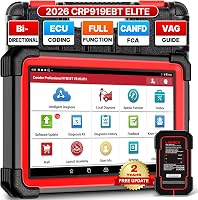
Autel MaxiCOM MK808S Review: Worth It? (October 2026)
The Autel MK808S suits advanced DIYers and small shops that need full-system scans, active tests and maintenance functions in a wired tablet. Confirm that it supports your vehicles and the specific jobs you plan to do.
On this page (7 sections)
The Autel MK808S is a wired tablet scanner for full-system diagnostics, active tests and maintenance functions. It fits advanced DIYers and small shops that need more than engine-code reading and can confirm support for the vehicles they work on.
The main buying question is not how many functions appear in the menu. It is whether the tool supports the systems and service jobs you need on your own vehicles.
If your work is limited to reading engine codes, a simpler reader can be a better fit.
What does the Autel MK808S offer?
The MK808S combines full-system scans, live and freeze-frame data, active tests and more than 28 service functions. Its 7-inch screen gives you room to review scan results, while its wired connection links the tablet directly to the vehicle.
Autel MaxiCOM MK808S: Best for wired garage work

- Full-system diagnostics
- 3,000+ active tests
- 28+ service functions
- 7-inch screen
- Wired connection
A tablet scanner with full-system diagnostics, active tests and a broad service menu. Its wired connection fits a stationary work area where a direct link matters.
Pros
- Full-system diagnostics
- Active tests across many systems and brands
- 28+ service functions
- 7-inch screen
Cons
- Functions vary by vehicle
- Compatibility should be confirmed for the jobs you need
Autel describes more than 3,000 active tests across many brands and systems. These tests send commands to supported components, such as fans, lights, doors, windows, mirrors, cameras and pumps, so you can check a component’s response as part of diagnosis.
The service menu includes examples such as oil reset, battery management, steering angle calibration, injector functions and clutch learning. Treat the menu count as a starting point: availability can vary by vehicle, so check each job you expect to perform.
Who should buy the Autel MK808S?
The MK808S suits an advanced DIYer who works on several systems or a small shop that sees different makes and needs more diagnostic depth than a basic code reader. Active tests and service functions are most useful when you can identify a specific job and confirm the tool supports it.
It may be a poor fit if you only want to read and clear engine codes, need a wireless connection, or expect every service function to work across every vehicle. Those needs point toward a simpler reader, a wireless tool, or a scanner with confirmed coverage for your exact cars.
For a wider look at scan depth and workshop features, compare the best professional OBD2 scanners. If you want a broader view of Autel models, see our best Autel scanners guide.
How useful are the MK808S active tests?
Active tests can help you check whether a supported component responds to a command. They are useful for narrowing a fault, but the test count alone does not tell you whether a particular test works on your vehicle.
For example, a supported fan or pump test may help establish whether a component responds when commanded. It does not replace checking the wiring, power, ground, connectors and service procedure when the response is missing.
Before buying, check compatibility by year, make and model, then ask about the exact system and actuator test you want. This is more reliable than assuming a high brand-coverage figure means identical access on every car.
Use care when running an active test. Keep hands clear of moving parts, follow the vehicle’s service information, and avoid commanding components when the vehicle is in an unsafe state.
For help interpreting a scan result, see how to read OBD2 codes. A trouble code points to a system or condition, but it does not always identify the failed part.
Which service functions matter for your work?
The MK808S’s service menu matters most when it matches work you already do or plan to do. Its 28+ functions include examples such as oil reset, battery management, steering angle calibration, injector functions, clutch learning and suspension calibration.
Make a short list of jobs before you choose a scanner. For each job, confirm that the function is supported on the specific vehicles you service; a general statement about broad coverage is not enough for a planned repair.
Menu names and procedures can differ by make, model and year. A service function available on one vehicle may be absent on another, so confirm the exact vehicle support before relying on the tool for a maintenance task.
How do the MK808S and alternatives compare?
The MK808S is the wired Autel option in this group, while the alternatives differ in connection style, operating system or service coverage. All require a vehicle-level compatibility check before you count on a particular scan or reset.
| Scanner | Connection | Stated strengths | Check before choosing |
|---|---|---|---|
| Autel MaxiCOM MK808S | Wired | Full-system scans, 3,000+ active tests claimed, 28+ services | Vehicle support for each needed test |
| Autel MaxiCheck MX808S | Wired tablet | Full-system scans, 3,000+ active tests claimed, 28+ services | Vehicle fit and service support |
| TOPDON AD800BT 2 Bidirectional Scanner | Bluetooth VCI | Bidirectional control, 28 reset services | Vehicle menus and AutoVIN support |
| FOXWELL NT726 Bidirectional Scanner | Diagnostic cable | 22+ systems claimed, 12 resets | Specific reset and FCA adapter needs |
The TOPDON AD600S review covers another scanner in this category. For a brand-level comparison, read Autel vs Launch scan tools.
Autel MaxiCheck MX808S: Best for Android 11

- Full-system diagnostics
- 3,000+ active tests
- 28+ service functions
- Android 11
A related Autel tablet with full-system scans, active tests and maintenance functions. Choose it when its vehicle support and included accessories suit your work.
Pros
- Full-system diagnostics
- Active tests
- 28+ service functions
Cons
- Functions vary by vehicle
- Compatibility should be confirmed
The MX808S is the closest alternative here if you want a related Autel tablet. It has full-system scans, active tests and maintenance functions, and runs Android 11; confirm its vehicle support and included accessories for your use.
TOPDON AD800BT 2 Bidirectional Scanner: Best for wireless bay access

- Bidirectional control
- 28 reset services
- Bluetooth VCI
- Lifetime updates claimed
A bidirectional alternative with a Bluetooth VCI, 28 reset services and lifetime updates claimed. Vehicle menus and functions vary by make, model and year.
Pros
- Wireless connection
- Bidirectional control
- 28 reset services
- Lifetime updates claimed
Cons
- AutoVIN does not work on all cars
- Functions vary by vehicle
The TOPDON AD800BT 2 uses a Bluetooth VCI, so it may suit a bay where you want to move around without a cable connecting the tablet to the vehicle. TOPDON claims lifetime updates, and its AutoVIN feature does not work on every car.
FOXWELL NT726 Bidirectional Scanner: Best for routine shop resets

- All-system diagnostics
- Bidirectional control
- 12 reset functions
- 5.5-inch screen
A bidirectional scanner with diagnostics across 22+ systems and 12 maintenance resets. Check support for your vehicle and any FCA adapter needs.
Pros
- Bidirectional control
- 12 reset functions
- FCA AutoAuth support claimed
Cons
- Some FCA vehicles require a separately sold adapter
- Feature availability varies by vehicle
The FOXWELL NT726 is described with diagnostics across 22+ systems, bidirectional control and 12 reset functions. It includes FCA AutoAuth support, though some FCA vehicles require a separate 12+8 adapter.
How should you set up and use the MK808S?
Start with the vehicle parked safely and the ignition state required by the scan tool or vehicle procedure. Connect the cable securely, identify the vehicle, and run a scan before clearing codes or starting an active test.
Save or review the scan results first. Stored codes, live data and freeze-frame data can help preserve the conditions around a fault, while clearing codes too early can remove useful clues.
Use one test at a time and compare the result with the relevant service procedure. If the scanner cannot identify the vehicle automatically, follow its prompts for manual vehicle selection and confirm the details before opening a system menu.
Firmware updates may broaden coverage, according to Autel. Set aside time to register and update the tool before the first repair session, and check current update terms and support options before you buy.
Keep the tablet charged and the cable in good condition. Store the cable without sharp bends, protect the screen during transport, and keep the tool away from heat, oil and moisture common around a repair area.
What mistakes should you avoid?
The most common buying mistake is choosing by the number of active tests or service functions alone. Confirm the exact vehicle, system and job, because menu availability varies and broad coverage does not guarantee every feature on every model.
Another mistake is treating a code as a diagnosis. A code can point you toward a circuit or system, but parts should not be replaced until you have checked related data and followed an appropriate diagnostic process.
Do not clear codes before recording them and any useful freeze-frame information. Clearing can make it harder to understand what triggered a fault, especially if the issue is intermittent.
Finally, do not run an active test without understanding what the component will do. Some components can move or switch on, so follow the vehicle procedure and keep people and tools clear.
Is the Autel MaxiCOM MK808S worth choosing?
Choose the Autel MK808S if you need wired, full-system diagnostics, active tests and a broad service menu for vehicles you have checked for compatibility. It is a stronger match for advanced DIY and small-shop work than for occasional engine-code checks.
Choose a basic code reader if engine codes are all you need. Choose the MX808S if its Autel feature set and Android 11 fit your needs, or consider the TOPDON if wireless movement matters; verify the must-have functions for your exact vehicles first.
For another brand comparison, see Autel vs Launch scan tools. If you are still deciding how much diagnostic depth you need, use the professional scanner guide.
Frequently asked questions
What can the Autel MaxiCOM MK808S do?
The MK808S provides full-system diagnostics, live and freeze-frame data, active tests and more than 28 service functions. Available functions vary by vehicle, so confirm support for your make, model and year, along with the particular test or service you need.
Does the Autel MK808S support bidirectional tests?
Yes. Autel describes more than 3,000 active tests that send commands to supported vehicle components.
The available tests depend on the vehicle and system, so check compatibility before choosing the tool for a specific diagnostic task.
Is the MK808S wired or wireless?
The MK808S uses a wired connection. If you want to move around the vehicle without a cable running to the tablet, compare it with a wireless VCI option such as the TOPDON AD800BT 2.
Check supported systems and services along with connection style.
Should I choose the MK808S or MX808S?
Both are described with full-system diagnostics, more than 3,000 active tests and more than 28 service functions. Compare vehicle compatibility, included accessories and the jobs you need to do, then confirm support for your exact make, model and year.