9 Best OBD2 Scanners for FORScan (November 2026)
The best OBD2 scanners for FORScan include the MOTOPOWER MP69033 Car OBD2 Scanner Code Reader for a first code reader alongside FORScan, the Veepeak Mini Bluetooth OBD2 Scanner Code Reader (best budget android adapter for live data), and the OBDLink MX+ for FORScan overall.
On this page (6 sections)
The best OBD2 scanner for FORScan is the OBDLink MX+, because FORScan's team recommends it and it supports the Ford, Mazda and Lincoln networks where the hidden settings live. If you do your FORScan work from a Windows laptop, the wired vLinker FS USB is the better fit.
FORScan is different from a normal code reader. It talks to modules a basic scanner never reaches, and the adapter you plug in decides how much of that is possible.
That's why the picks below split into two groups: real FORScan adapters and everyday code readers that handle the engine side. A cheap dongle that clears a check engine light won't reach a Ford's hidden menus, and a FORScan adapter isn't the easiest tool for a quick fault check.
Start with the adapter if programming is your goal. If you only want to read and clear engine codes between FORScan sessions, a handheld reader does that faster.
For a wider look at app-based tools with live graphs, our roundup of the best OBD2 scanner with live data covers the alternatives.
Our picks at a glance
-
1
 Best for a first code reader alongside FORScan
MOTOPOWER MP69033 Car OBD2 Scanner Code Reader
9.7/10 our score
See it on Amazon -
2
 Best budget Android adapter for live data
Veepeak Mini Bluetooth OBD2 Scanner Code Reader
9.4/10 our score
See it on Amazon -
3

- 4
 Check it
BlueDriver Bluetooth OBD2 Scanner
Best for reading every module without FORScan - 5
 Best for iPhone and Android on one adapterCheck it
- 6
 Check it
VGATE vLinker FS USB FORScan OBD2 Adapter
Best wired FORScan adapter for Windows - 7
 Best for smog and emissions checksCheck it
- 8
 Best simple reader for check engine lightsCheck it
- 9
 Best compact reader for glovebox storageCheck it
The best OBD2 scanners and adapters for FORScan
The OBDLink MX+ is the top pick for most FORScan users, and each product below is the best choice for one specific job. Match the adapter to the car and the computer you'll use before comparing price.
MOTOPOWER MP69033 Car OBD2 Scanner Code Reader: Best for a first code reader alongside FORScan
- 2.8 in LCD screen with backlight
- Built-in DTC lookup library
- 9 protocols, 6 languages
- No battery or charger needed
A standalone reader that clears engine lights without an app, so FORScan work stays separate from everyday fault checks.
Pros
- Clear 2.8 in screen
- Reads and clears engine codes without a phone
- Built-in code definitions
Cons
- No ABS or airbag codes
- Not a FORScan programming adapter
MOTOPOWER's MP69033 is the highest-scoring product here, and it earns that as a standalone reader rather than a FORScan tool. Plug it into the 16-pin port, press the DTC button, and it reads and clears engine codes from its own screen.
The 2.8-inch LCD has a white backlight and contrast adjustment, so codes and live data stay readable in a dim garage. A built-in DTC library explains what each code means without a phone or an app.
It also shows freeze frame, I/M readiness and vehicle information, plus a real-time curve for data streams.
It supports 9 protocols and 6 languages, covering most 1996 and newer US cars plus 2000 and newer European and Asian models. It draws power straight from the port, so there's no battery to charge.
Quick keys jump to the VIN and the fault code, and the 2.5-foot cable has thick flexible insulation.
The limit is real: it can't read ABS, airbag or oil service codes. Keep it as the quick daily reader and use a separate FORScan adapter when you need module access.
For iPhone users who want an app instead, see our best OBD2 scanner for iPhone guide.
Veepeak Mini Bluetooth OBD2 Scanner Code Reader: Best budget Android adapter for live data
- Bluetooth Classic for Android only
- Live sensor data and freeze frame
- Compact plug-in profile
- Works with Torque and Car Scanner
A low-cost Android adapter for engine data and codes, useful when your FORScan rig lives on a laptop.
Pros
- Low cost
- Live data on an Android dashboard
- Small enough to leave plugged in
Cons
- No iOS support
- Engine codes only, no ABS or SRS
The Veepeak Mini is the cheapest way to get live engine data onto an Android screen. It plugs into the port and pairs over Bluetooth Classic with apps like Torque, Car Scanner and OBD Fusion.
You get live sensor readings for speed, RPM, coolant temperature, throttle position and fuel trim, plus freeze frame data and I/M readiness. That's enough to chase a rough idle or confirm a repair before a smog test.
The adapter is small and light, so it sits out of the way in the port.
The trade-off is device support. It works with Android phones and tablets only, not iPhone or iPad, and it handles generic engine diagnostics rather than ABS, SRS or transmission codes.
Android head units may not work either. It also needs a third-party app, and some apps are paid.
Think of it as the second dongle in the glovebox. When your laptop and FORScan adapter stay home, this reads the engine light and shows whether the car is behaving.
It's also the cheapest way to learn how app-based diagnostics feel before spending more.
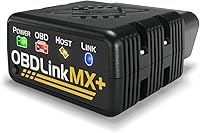
OBDLink MX+: Best for FORScan overall
- Recommended adapter for FORScan
- iOS, Android and Windows support
- Enhanced OEM support for Ford and Mazda
- Over-voltage and battery drain protection
The adapter FORScan names as recommended, with the Ford and Mazda network support that reaches hidden modules and settings.
Pros
- Named as FORScan's recommended adapter
- Reads ABS, SRS and TPMS data
- Sleep mode protects the battery
Cons
- Premium price for a Bluetooth adapter
- Needs a phone, tablet or laptop to show results
The OBDLink MX+ is the one to buy if FORScan is the main reason you're shopping. It's the adapter FORScan's team recommends, and it adds enhanced OEM support for Ford, GM, Mazda, Nissan, Toyota, Honda, Hyundai and Kia vehicles.
That Ford and Mazda support is the part that matters here. It reaches the advanced networks those cars use, so FORScan can see modules a generic adapter skips.
It also reads more live parameters, including ABS, SRS and TPMS data, than a basic reader. On supported GM models, third-party apps can even control windows and door locks or remote start.
It works with iOS, Android and Windows, so you can start on a phone and move to a laptop later without buying again. Over-voltage and battery drain protection mean you can leave it plugged in, and firmware updates are included at no cost.
The pocket-size body won't block driver legroom.
The downside is cost and dependency. It's a premium adapter that needs an app to show you anything.
If you only clear engine lights now and then, a handheld reader covers that for far less. Pick the MX+ when FORScan module work is the plan.
BlueDriver Bluetooth OBD2 Scanner: Best for reading every module without FORScan
- Enhanced codes for ABS, SRS, TPMS and transmission
- No subscription fees
- iOS and Android app
- Live data and Mode 6 results
A phone-based scanner with its own app and deep module coverage, a strong alternative when you'd rather not run FORScan at all.
Pros
- Reads and clears enhanced codes
- Repair reports matched to your VIN
- No subscription
Cons
- Locked to the BlueDriver app
- Not built as a FORScan programming tool
BlueDriver takes a different route. It's a Bluetooth adapter tied to the BlueDriver app, and the app handles the diagnostics rather than FORScan.
That makes it the best pick for someone who wants deep module coverage without learning a new program.
It reads and clears enhanced codes for check engine, ABS, SRS, airbag, TPMS and transmission systems on supported vehicles. Repair reports are matched to your VIN, and you get live data, freeze frames and Mode 6 test results.
The app can stay connected while you drive.
There are no subscription fees. The one-time purchase covers the features, which is rare in this category.
Coverage leans toward GM, Ford, Stellantis, Toyota, Honda, Nissan, Mazda, Subaru, Hyundai, Mercedes-Benz, BMW and VW, with expanded support on select 2024 and newer Nissan and Mazda models. It scans hybrids for standard engine and emissions codes.
The trade-off is flexibility. You can't point it at FORScan or any other app, so it's the wrong buy if programming and module changes are your goal.
Choose it when you want one app to tell you what's wrong across several cars in the driveway.
Vgate iCar Pro Bluetooth 4.0: Best for iPhone and Android on one adapter
- Bluetooth 4.0 low energy
- Auto sleep and wake
- Firmware updates from a phone
- Works with Torque and Car Scanner
A small low-power adapter that works on both phone systems, handy as a second dongle for engine checks.
Pros
- Works with iOS and Android
- Very low sleep current
- Firmware updatable
Cons
- No MS-CAN support
- Standard engine functions only
The Vgate iCar Pro is the adapter to grab when more than one phone in the house needs to connect. It works with iOS and Android, unlike the Android-only Veepeak, and its Bluetooth 4.0 link uses less power than a Wi-Fi dongle and won't interfere with your phone's internet.
Setup differs by phone. On iOS you connect straight through the OBD2 app without pairing in Settings.
On Android you pair with "Android-Vlink" using PIN 1234. It supports Torque, Car Scanner ELM327, OBD Fusion and OBD JScan.
Firmware updates come through the VgateFwUpdater app or a Windows PC.
Its sleep current is about 3mA, so it's gentle on the battery when left in the port. Auto sleep kicks in 20 to 30 minutes after the ignition goes off.
Note that auto wake doesn't work on electric or hybrid cars, where you re-plug it to wake it. A set of LED indicators shows power, pairing and data states.
It won't do MS-CAN and it handles standard OBD2 functions only, so FORScan's deeper Ford menus are out of reach. That's fine for engine checks and live data.
Choose it as the family dongle and keep a dedicated FORScan adapter for the Ford.
VGATE vLinker FS USB FORScan OBD2 Adapter: Best wired FORScan adapter for Windows
- USB connection for Windows PCs
- HS-CAN and MS-CAN auto switching
- FEPS 18V programming support
- Recommended by the FORScan team
A dedicated FORScan cable for laptop-based programming and module changes on Ford, Mazda, Lincoln and Mercury cars.
Pros
- Handles both CAN buses automatically
- FEPS 18V programming voltage
- Battery saver with 3mA sleep
Cons
- Wired only, so the laptop has to reach the car
- No phone or tablet support
The vLinker FS USB is the dedicated FORScan cable. It's made for the app and recommended by the FORScan team, and it targets Ford, Lincoln, Mazda and Mercury cars specifically.
That focus is why it reaches the advanced and hidden functions those models carry.
It plugs into a Windows PC over USB 2.0 or 3.0 and switches automatically between HS-CAN, MS-CAN and the Ford car networks. That auto switching means FORScan can reach all the buses at once, so module changes and programming work without you juggling settings.
The safety here is that a wrong-network command won't wreck anything.
It supports FEPS 18V programming voltage and reaches 3Mbps, with an 8192-byte serial buffer. In plain terms, module reads and writes finish faster and with fewer dropped packets than a cheap Bluetooth dongle manages.
The USB link avoids the wireless interference that can stall a long write.
Sleep current drops to about 3mA when idle, and it has over-voltage, over-current and over-temperature protection. The catch is the cable: your laptop has to sit within reach of the port, and it won't work with a phone or tablet.
Buy it for laptop-based programming on a Ford or Mazda.
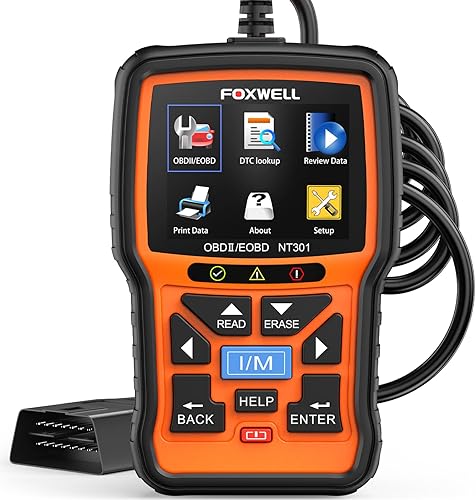
Foxwell NT301 Code Reader: Best for smog and emissions checks
- 2.8 in color screen
- One-click I/M readiness
- Live data graphs
- Lifetime free updates
A handheld reader with red, yellow and green readiness lights that tells you if the car will pass an emissions test.
Pros
- Clear readiness lights
- Graphs live sensor data
- Works without a phone
Cons
- No ABS or airbag codes
- Engine and emissions systems only
The Foxwell NT301 suits the driver whose main worry is passing an emissions test. Its red, yellow and green LEDs give an instant I/M readiness verdict, so you know whether to head to the test center or fix something first.
Red means urgent repair, yellow means needs diagnosis and green means good status.
It reads and clears engine codes with one click, and it clears the check engine light only after the underlying problem is fixed. If the fault isn't repaired, the code comes back.
That behavior helps you confirm a repair actually worked.
It goes past basic code reading with EVAP and O2 sensor tests, and it graphs live data so you can spot odd readings on oxygen sensors, fuel trims and coolant temperature. A 2.8-inch color screen stays readable in daylight, and the built-in speaker gives audio feedback.
Lifetime updates are free.
Like the other handhelds here, it stops at engine and emissions systems. It can't scan ABS, airbag or transmission codes.
Choose it for smog prep and engine diagnostics, and pair it with a FORScan adapter for module work. For a closer look at a similar reader, read our Innova 5210 review.
ANCEL AD310 Code Reader: Best simple reader for check engine lights
- 2.4 in screen
- Reads and clears emission codes
- Freeze frame and live data
- 2.5 ft cable
A cheap, sturdy reader for turning off a check engine light after a repair, with no app and no setup.
Pros
- Simple plug-and-play use
- Reads live data and freeze frame
- Compact and light
Cons
- Emission codes only
- No reset functions beyond clearing codes
The ANCEL AD310 is the simplest tool in this group. Plug it in, turn the ignition on, and it reads or clears emission codes in seconds.
There's no app, no pairing and no setup.
It reads live data and freeze frame, shows code definitions on screen and checks I/M readiness. The 2.5-foot cable has thick insulation, and the unit weighs 12 ounces, so it survives being dropped on a garage floor.
Power comes from the port. The buttons are clearly labelled and the 2.4-inch screen is easy to read.
It covers all OBDII protocols, including KWP2000, J1850 and CAN, and works on most 1996 and newer US cars and light trucks. The limits are the same as its peers: emission-related codes only, no ABS or SRS, and no reset functions beyond clearing codes.
A fault unrelated to emissions won't show up.
Choose it when you want a durable, cheap reader for a check engine light and nothing more. It's the tool you hand to a teenager with a first car.
It won't touch FORScan, so it's a companion rather than a replacement for a proper adapter.
Autel AutoLink AL319: Best compact reader for glovebox storage
- 2.4 in color screen
- One-click I/M readiness
- 7 languages
- Built-in speaker and LED indicator
A small color-screen reader that fits in a glovebox and handles basic engine codes.
Pros
- Small footprint
- One-click readiness check
- No battery needed
Cons
- Lowest score in this group
- No ABS or SRS support
The Autel AutoLink AL319 is the smallest reader here and the easiest to leave in a glovebox. Its 2.4-inch color screen and built-in speaker make codes and readiness results clear without squinting.
It reads and clears DTCs, looks up definitions, shows live data and freeze frame, and checks I/M readiness with a one-click button. It supports 7 languages and most post-1996 OBDII vehicles from Toyota, Nissan, Honda, Ford and others.
A VIN read pulls vehicle information when the car allows it.
It needs no battery, drawing power from the port. The cable is long enough to reach comfortably without getting in the way.
The LED indicator and speaker give quick feedback when you're working alone. You get lifetime free updates and a 12-month warranty.
It scores lowest in this group because it offers the least beyond basic engine and emission diagnostics. It won't read ABS or SRS, and it can't do module work.
Buy it as a compact backup reader, not as your FORScan solution. For tools that bundle more functions, see our all in one OBD2 scanner roundup.
How these OBD2 scanners compare for FORScan
FORScan needs an adapter that can reach Ford's extra networks, while a code reader only needs to read engine codes. That single difference splits this list.
Our score weighs specs, features and buyer feedback against what you're shopping for. For FORScan work, network support and bus switching count most.
For everyday use, screen clarity, setup speed and price matter more.
| Product | Best for | Screen | Power | Cable | Our score |
|---|---|---|---|---|---|
| MOTOPOWER MP69033 Car OBD2 Scanner Code Reader | a first code reader alongside FORScan | 2.8 in LCD | OBDII port | 2.5 ft | 9.7 |
| Veepeak Mini Bluetooth OBD2 Scanner Code Reader | budget Android adapter for live data | OBDII port | 9.4 | ||
| OBDLink MX+ | FORScan overall | Vehicle port | 9.2 | ||
| BlueDriver Bluetooth OBD2 Scanner | reading every module without FORScan | Vehicle port | 9.0 | ||
| Vgate iCar Pro Bluetooth 4.0 | iPhone and Android on one adapter | 8.8 | |||
| VGATE vLinker FS USB FORScan OBD2 Adapter | wired FORScan adapter for Windows | 8.4 | |||
| Foxwell NT301 Code Reader | smog and emissions checks | 2.8 in color | OBDII port | 8.2 | |
| ANCEL AD310 Code Reader | simple reader for check engine lights | 2.4 in | OBDII port | 7.7 | |
| Autel AutoLink AL319 | compact reader for glovebox storage | 2.4 in color | OBDII port | 6.8 |
How we compared these scanners for FORScan
We started with the app's own requirements. FORScan's team names the adapters it recommends, and that shortlist set the top tier here.
An adapter without HS-CAN and MS-CAN support can read engine codes but won't reach the body modules FORScan is known for. The vLinker FS USB and the OBDLink MX+ both clear that bar, and the rest of the list is judged on engine-side work.
Then we checked what each device connects to. Bluetooth adapters need a phone or tablet, USB adapters need a Windows PC.
That decides where you can actually use the tool, so we weighted it heavily. The vLinker FS USB is Windows only, while the MX+ spans iOS, Android and Windows.
We also weighed the everyday jobs. A FORScan adapter is clumsy for a two-minute check engine light check, so the handheld readers earn their place as companions.
Screen size, code lookup and readiness checks separate them. The MOTOPOWER's 2.8-inch screen and built-in library put it on top of that group.
Finally we looked at protection features. An adapter left in the port can drain a battery, so sleep current and over-voltage protection matter for cars that sit for days.
The MX+ and the vLinker FS USB both list protection, and the Vgate sleeps at about 3mA. Scores reflect all of this together.
What should you check before buying a FORScan adapter?
Check the networks your car uses and the device you'll run FORScan on. Ford, Lincoln, Mazda and Mercury models use HS-CAN and MS-CAN, and both matter for full module access.
A basic ELM327 dongle often skips MS-CAN, which is where body and comfort settings live.
Then match the adapter to your computer. Bluetooth adapters pair with phones, tablets and laptops.
USB adapters need a Windows PC within cable reach of the port.
Does my car need MS-CAN support?
Yes, if you want to change settings outside the engine bay. MS-CAN carries modules for locks, lights, climate and other body functions.
An adapter without it stops at engine and emissions codes, which is fine for a check engine light but not for module changes. The Vgate iCar Pro is the clear example here, since its own specs say MS-CAN isn't supported.
Can I run FORScan on a Mac?
FORScan runs on Windows. On a Mac you need a Windows setup, and the adapter must match that setup.
USB adapters like the vLinker FS USB list Windows as the operating system, so plan your computer choice before buying the cable. A Bluetooth adapter gives you more room to run a Windows laptop or tablet without a cable reaching the port.
Is a Bluetooth or USB adapter better for FORScan?
It depends on where you work. USB gives a steadier link for programming and module writes, and the vLinker FS USB switches CAN buses automatically.
Bluetooth is easier for quick checks and works on phones. The MX+ pairs wirelessly and still lists the enhanced Ford and Mazda support.
Which OBD2 scanner for FORScan fits your car and computer?
The right pick comes down to your car's networks and the screen you'll use. The OBDLink MX+ covers most people because it's FORScan's recommended adapter and works on iOS, Android and Windows.
Its Ford and Mazda support reaches the modules that make FORScan worth using. Over-voltage and battery drain protection also make it safe to leave in the port.
Choose the vLinker FS USB instead if you program from a Windows laptop and want the most stable link. Its automatic HS-CAN and MS-CAN switching and FEPS 18V support suit module changes, and the wired connection avoids dropped packets.
The 3Mbps rate and large serial buffer keep long frame communication moving.
If you're not ready to commit to FORScan, a handheld reader handles the engine light. The MOTOPOWER MP69033 is the top standalone pick here, and the Foxwell NT301 adds smog readiness lights.
Add a FORScan adapter later when you want to dig deeper. If you want module codes without FORScan, BlueDriver reads them through its own app.
Do you only need engine codes?
Then skip the dedicated adapters. A handheld reader like the MOTOPOWER MP69033 reads and clears engine codes without a phone, and it's cheaper than a FORScan-specific dongle.
Buy the adapter only when you plan to change settings or program modules.
Will a cheap ELM327 adapter work with FORScan?
It may read basic engine codes, but it usually can't reach the MS-CAN bus. That means no body module access and no hidden settings.
For real FORScan work, pick an adapter the FORScan team recommends, such as the OBDLink MX+ or the vLinker FS USB. The vLinker also handles the FEPS programming voltage some module work needs.
Do you drive a Ford, Mazda or Lincoln?
Then buy the adapter first. The OBDLink MX+ lists enhanced OEM support for Ford and Mazda, and the vLinker FS USB is designed for Ford, Lincoln, Mazda and Mercury cars.
Either one reaches the modules where FORScan's useful changes live. A generic reader won't.
What if you own several brands?
Pick the OBDLink MX+. It lists enhanced support for Ford, GM, Mazda, Nissan, Toyota, Honda, Hyundai and Kia, so one adapter covers a mixed driveway.
The BlueDriver is the alternative if you'd rather use its own app than FORScan. It also lists coverage for Stellantis, Subaru, Mercedes-Benz, BMW and VW.
Verdict
The best OBD2 scanner for FORScan is the OBDLink MX+ for most drivers. It's the adapter FORScan recommends, it reaches Ford and Mazda modules a basic dongle misses, and it works on iOS, Android and Windows.
Buy the vLinker FS USB if you program from a Windows laptop and want a wired link.
If FORScan isn't your goal, start with a handheld reader. The MOTOPOWER MP69033 reads and clears engine codes without an app, and the Foxwell NT301 adds smog readiness lights.
For a live-data view on a phone, our guide to the best OBD2 scanner with live data covers the app-based options.
Our top 3 picks at a glance
-
1
Best for a first code reader alongside FORScan
MOTOPOWER MP69033 Car OBD2 Scanner Code Reader
9.7/10 our score
See it on Amazon -
2
Best budget Android adapter for live data
Veepeak Mini Bluetooth OBD2 Scanner Code Reader
9.4/10 our score
See it on Amazon -
3
Frequently asked questions
Does FORScan work with any OBD2 adapter?
No. FORScan needs an adapter that can reach the Ford-specific CAN networks, and not every cheap dongle can.
An ELM327-style adapter may handle basic engine codes but miss the MS-CAN bus where many hidden modules sit.
Can I use FORScan on an iPhone?
Yes, with a Bluetooth adapter that supports the app's connection type. The OBDLink MX+ lists iOS support and is the adapter FORScan recommends.
Many budget Bluetooth dongles are Android only, so match the adapter to your phone before buying.
Is FORScan free?
The app is free to download and use for basic functions. Extended functions need a license, which FORScan sells separately.
The adapter itself is a one-time purchase, and some adapters include lifetime firmware updates.
What is MS-CAN and why does it matter?
MS-CAN is a slower Ford network that carries body and comfort modules. Reading it lets FORScan reach settings a basic engine scanner never sees.
Adapters without MS-CAN support stop at engine and emissions codes.
Can I leave a FORScan adapter plugged in?
Only if it has sleep and protection features. The vLinker FS USB sleeps at about 3mA and adds over-voltage and battery drain protection.
The OBDLink MX+ includes battery drain protection too.
Check before leaving any adapter in a car that sits for days.
Do I need FORScan to fix a check engine light?
No. Any basic OBD2 code reader reads and clears engine codes.
FORScan matters when you want module changes, programming or deeper Ford diagnostics.
Most drivers only need a simple reader for a check engine light.