9 Best Automotive Scan Tools With Lifetime Updates (November 2026)
The best automotive scan tools with lifetime updates include the THINKCAR AI+Bidirectional Scan Tool THINKSCAN 689BT Lifetime (best overall), the FOXWELL OBD2 Scanner Diagnostic Tool NT604 for four-system checks, and the BLCKTEC 460T Code Reader for home maintenance.
On this page (5 sections)
The best automotive scan tool with lifetime updates for most people is the THINKCAR AI+Bidirectional Scan Tool THINKSCAN 689BT, because it covers all systems, bidirectional tests and ECU coding without a yearly fee. Pick the BLCKTEC 460T for home maintenance, the KINGBOLEN K7 for wireless work, or the FOXWELL NT604 if you mainly chase warning lights.
Free lifetime updates matter more than most buyers expect. A tool that stops getting coverage quietly falls behind newer cars.
Every product here updates without a subscription, so the choice comes down to the features you'll actually use.
If you're still deciding between brands, our Autel vs Launch comparison covers the two biggest names in diagnostics. For a broader shortlist of budget-friendly options, see our guide to the best car diagnostic tool for home use.
Our picks at a glance
-
1
 Best overall
THINKCAR AI+Bidirectional Scan Tool THINKSCAN 689BT Lifetime
9.7/10 our score
See it on Amazon -
2
 Best for four-system checks
FOXWELL OBD2 Scanner Diagnostic Tool NT604
9.0/10 our score
See it on Amazon -
3
- 4
 Check it
KINGBOLEN K7 Bidirectional Scan Tool 2026 OBD2
Best wireless tablet - 5
 Check it
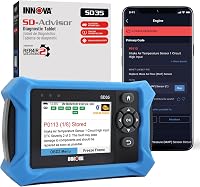
Innova 5610 Bidirectional Scan Tool
Best for repair verification - 6
 Check it
FOXWELL NT726 Bidirectional Scanner
Best for daily workshop resets - 7
 Check it
THINKCAR ThinkScan 662 Scanner
Best for DIY beginners - 8
 Check it
MUCAR 632 Elite Bidirectional Scanner
Best for AI code explanations - 9
 Check it
MUCAR 892BT Bidirectional Scanner
Best for large-screen diagnostics
The best automotive scan tools with lifetime updates
The THINKSCAN 689BT leads on capability and coverage, while the rest of the group trades some features for a simpler interface. Each pick below suits a different kind of owner.
THINKCAR AI+Bidirectional Scan Tool THINKSCAN 689BT Lifetime: Best overall
- AI-assisted diagnosis
- Full bidirectional controls
- 35+ service resets
- CAN FD and DoIP
- 8-inch screen
A full workshop-grade tablet scanner that covers all systems, bidirectional tests and coding without an update subscription.
Pros
- AI diagnostic guidance included
- Full bidirectional and ECU coding
- Lifetime free updates
Cons
- Most expensive type of scanner here
- FCA access needs a separate paid account
The THINKSCAN 689BT is the closest thing here to a full workshop tablet. It reads every available system, runs more than 3000 active tests and handles ECU coding and component matching.
The coding menu covers things like custom dash kits, auto mirror folding and switching auto start-stop off.
The AI assistance is its standout feature. Connect to WiFi and upgrade the software, and the Tyler AI Agent walks you through a diagnosis step by step and suggests parts.
That turns a long troubleshooting session into a guided one. The 8-inch screen and Android 10.0 system make the menus easy to read, and the included gateway accessory kit saves you buying one.
CAN FD and DoIP protocols speed communication on newer cars. A 1280x720 resolution keeps text and graphs clear, and the 850 g body stays manageable on a bench or in a bay.
The 35 or more services cover 140 or more makes, and the kit arrives with a charger, carrying case and F-Chassis adaptor.
The trade-off is price and complexity. For a single warning light, this is more tool than you need.
FCA access also requires a separate paid account. Choose it if you plan to do real repairs across several vehicles and want one scanner that keeps growing with free updates.
FOXWELL OBD2 Scanner Diagnostic Tool NT604: Best for four-system checks
- ABS, SRS, engine and transmission diagnostics
- Lifetime free updates
- AutoVIN
- Live data and freeze frame
A compact handheld that digs into the four systems that set most warning lights, with no update fees.
Pros
- Deep ABS and SRS coverage
- Free lifetime updates
- Simple to use
Cons
- Limited to four main systems
- No bidirectional controls
The FOXWELL NT604 focuses on the four systems that trigger most dashboard lights: engine, transmission, ABS and SRS. That makes it a strong step up from a basic code reader without the cost of a full tablet.
It also folds in the ten standard OBD2 functions, so it replaces the simpler NT201 and NT301 rather than sitting beside them.
After AutoVIN identifies the car, one scan checks each system and presents the faults together. The tool also writes a diagnostic report you can take to a shop, which helps you compare quotes before anyone touches the car.
Each trouble code comes with a plain-language explanation, so you aren't searching online to understand what it means. Live data streams in a 4-in-1 view, so you can watch several signals at once.
Lifetime updates come free, and there's no registration or memory card to manage. It also checks I/M readiness for annual testing.
What you give up is active testing. This tool reads and clears codes but can't command components like a fuel pump.
Pick it if your goal is to understand warning lights quickly and cheaply, not to run actuator tests. The 4.3-inch screen is small but fine for code work.
The body is small enough to leave in the glovebox.
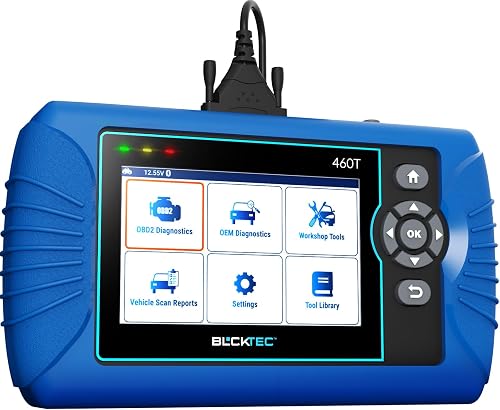
BLCKTEC 460T Code Reader: Best for home maintenance
- All-system diagnostics
- 12+ reset functions
- Freeze frame and live data
- AutoVIN
- Free lifetime updates
A home mechanic's scanner with dealer-style resets and a free repair app, kept current by free updates.
Pros
- 12+ reset services
- Works with the free RepairSolutions2 app
- USA-based support
Cons
- Sold for USA and Canada use only
- Not a bidirectional tool
The BLCKTEC 460T stretches a simple reader into a maintenance tool. It handles all 10 OBD2 modes and all-system diagnostics, then adds 12 or more service resets such as oil, EPB, SAS, DPF and battery initialization.
Throttle relearn, TPMS and transmission reset are on the list too.
Its freeze frame and live data tools help you see what the engine was doing when a fault set. You can graph and replay up to four data streams on one screen, which makes intermittent problems easier to catch.
AutoScan and AutoReLink scan every ECU and refresh readiness data every 30 seconds. BLCKTEC says the scan speed is three times faster than older models, which matters when you check several cars in one afternoon.
The RepairSolutions2 app adds repair guidance built from technician data, plus recall, warranty and maintenance-schedule lookups. BLCKTEC supports it from the USA in English and Spanish.
It's sold for USA and Canada vehicles only, which rules it out elsewhere. It also stops short of bidirectional control.
Pick it for a household that does its own oil changes, brakes and battery swaps and wants reset functions without a tablet price. The 2 year warranty is the longest here.
KINGBOLEN K7 Bidirectional Scan Tool 2026 OBD2: Best wireless tablet
- Bluetooth VCI
- 31+ resets
- Bidirectional tests
- CAN FD
- Lifetime free updates
A cable-free Android tablet with active tests and 31 service functions, updated free for life.
Pros
- Wireless Bluetooth connection
- 31+ reset functions
- Lifetime free updates
Cons
- Needs Bluetooth and a network to diagnose
- FCA access costs extra
The KINGBOLEN K7 moves diagnostics off the cable. Its Bluetooth VCI lets you walk around the car while the 7-inch Android tablet shows results.
The wireless range reaches about 33 ft, enough to watch a component while you trigger it.
31 reset functions cover most routine maintenance, and bidirectional tests let you command windows, mirrors, sunroofs and solenoids to check they work. CAN FD support matters for 2019 and newer GM models.
The tablet runs Android 10.0 with a 1.8GHz quad-core chip, 2GB of RAM and 32GB of storage. A 6000mAh battery means it lasts through a long session away from a socket, and lifetime updates keep coverage current.
The 4-in-1 data graphing and a built-in fault code library speed up diagnosis. Reports can be shared by Bluetooth or email, and you can add workshop details so customers see who did the work.
Two catches come with the wireless design. You need Bluetooth on and a network connection for diagnostics, and FCA access costs extra.
The tool needs the ignition on before it will talk to the car. Pick it if you work around the car often or want a tablet you can carry to a friend's driveway.
Innova 5610 Bidirectional Scan Tool: Best for repair verification
- Bidirectional controls
- OEM live data for ABS, SRS and transmission
- Free updates
- US-based technical support
A well-supported bidirectional scanner that helps confirm a repair actually worked.
Pros
- Free updates with no subscription
- US-based technical support
- Enhanced live data
Cons
- Small 3.5-inch screen
- Compatibility varies by model
The Innova 5610 suits the owner who fixes first and checks after. Its bidirectional controls send commands to test parts like the fuel pump or electronic parking brake, so you can confirm a repair worked.
Enhanced live data reaches ABS, SRS, transmission and engine systems, which goes beyond basic OBD2 readings. A Special Reset function handles dealer-style relearn procedures for select vehicles.
Updates are free with no subscription, and ASE-certified support is a phone call away in the US. The tool pairs with the RepairSolutions2 app for wireless sharing and stores reports you can revisit.
It reads in English, Spanish and French.
The 3.5-inch screen is the smallest in this group, so expect more scrolling. Innova also notes that compatibility varies by make and model.
Pick it if US-based support and repair verification matter more than a large display. It reads 1996 to 2023 OBD2 vehicles, so check the coverage checker for newer cars.
FOXWELL NT726 Bidirectional Scanner: Best for daily workshop resets
- 22+ system diagnostics
- Bidirectional active tests
- 12 resets
- Lifetime WiFi updates
- 5.5-inch touchscreen
A mid-size tablet covering the resets a shop does most often, with free updates over WiFi.
Pros
- 12 maintenance resets
- Bidirectional tests
- Lifetime free updates
Cons
- FCA access needs a separate 12+8 adapter
- Fewer brands covered than top picks
The FOXWELL NT726 is built around the jobs a shop repeats. It reads 22 or more systems and includes 12 maintenance resets, from oil and EPB to injector coding and DPF regeneration.
SAS calibration and throttle matching are in the mix.
Bidirectional active tests let you trigger ABS pumps, windows, coolant systems and injectors to isolate a fault fast. The 5.5-inch touchscreen adjusts brightness and font size for garage light and works with gloves.
It supports 100 or more brands and 1996 and newer vehicles. Lifetime WiFi updates keep coverage current without a subscription fee.
One-click PDF reports make it easy to hand findings to a customer or a friend. A 1280x720 resolution keeps the graphs sharp, and the Android 9.0 system handles the menus smoothly.
The kit includes a carrying case and USB-C cable.
FCA access on 2018 and newer Chrysler, Dodge, Jeep and RAM cars needs a 12+8 adapter sold separately. Pick it for steady daily resets at a mid-range price, and skip it if you need the widest brand coverage.
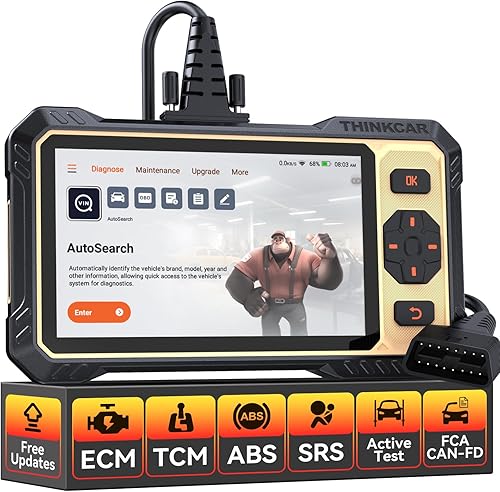
THINKCAR ThinkScan 662 Scanner: Best for DIY beginners
- Bidirectional active tests
- 12 resets
- 6.2-inch touchscreen
- AutoVIN
- Lifetime free updates
An easy-to-use tablet with active tests and common resets, aimed at home users new to diagnostics.
Pros
- Simple touchscreen interface
- Bidirectional active tests
- Lifetime free updates
Cons
- Older Android 8.0 system
- FCA access needs a separate paid account
The THINKSCAN 662 targets people new to diagnostics. Its touchscreen and buttons are laid out like a phone, and the interface includes guided shortcuts, product videos and a fault code library.
The rubberized shell and tilted design are built for trunk storage and long sessions. THINKCAR says the tilt and low-force buttons cut wrist strain during scanning.
Bidirectional active tests and 12 resets cover ABS, airbag, BMS, brake, DPF, throttle, injector, oil and more. AutoVIN recognizes the car without typing, and live data shows in text or a merged 4-in-1 chart.
You can save, print or email the report and keep a history of past diagnostics. A feedback module sends repair suggestions from certified staff.
Hardware is mid-range: a 6.2-inch screen, a 1.8GHz quad-core chip, 2GB of RAM and Android 8.0. The 4150mAh battery and 32GB of storage cover a day of work.
Lifetime free updates come via WiFi. The older Android version is the main compromise against the top picks.
Pick it if you want active tests and resets at a lower cost and don't need the newest system or the widest coverage. FCA access needs a separate paid account.
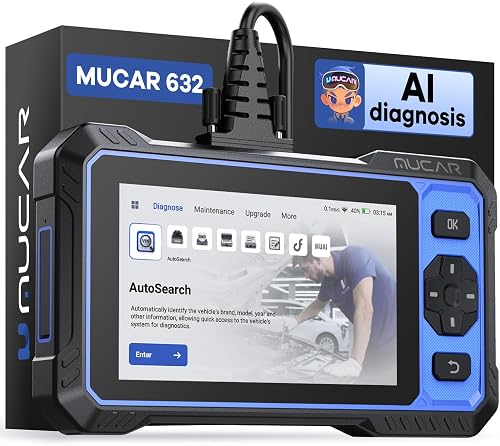
MUCAR 632 Elite Bidirectional Scanner: Best for AI code explanations
- AI-assisted fault code analysis
- 15+ resets
- Bidirectional controls
- AutoVIN
- Lifetime free updates
A tablet scanner that explains fault codes in plain language using its built-in AI system.
Pros
- AI explanations for trouble codes
- 15+ reset services
- Lifetime free updates
Cons
- AI features need an internet connection
- Four-system coverage only
The MUCAR 632 stands out for how it explains faults. Click a trouble code and its AI system gives the likely cause and repair suggestions, and the diagnostic report includes those insights.
The AI help needs an internet connection and the latest software to work.
15 or more resets cover ABS bleeding, airbag, battery matching, brake pads, DPF, EGR, throttle, gearbox, injector, oil, SAS and TPMS. Bidirectional controls let you test headlights, brakes, mirrors and more.
It handles engine, ABS, SRS and transmission codes with live data graphs. AutoVIN speeds setup, and lifetime updates are free.
Storage starts at 32GB and can expand with a TF card up to 128GB. The 6.2-inch screen is easy to read in a garage.
The kit includes a diagnostic cable and USB-C cable.
Its system coverage stays in those four areas rather than every module. Pick it if reading fault codes is the part that slows you down and you want plain-language help on the spot.
It suits DIYers who want active tests without a big-tablet price.
MUCAR 892BT Bidirectional Scanner: Best for large-screen diagnostics
- 8-inch display
- Full bidirectional controls
- 35+ services
- ECU coding
- Lifetime free updates
A big-screen tablet with broad system coverage and a long list of service functions.
Pros
- Large 8-inch screen
- 35+ service functions
- Lifetime free updates
Cons
- Highest-priced tier of the group
- FCA access needs a separate paid account
The MUCAR 892BT pairs an 8-inch screen with 4GB of RAM and 64GB of storage on Android 10.0, so menus and live data load without lag. That screen is the easiest here to read from a few feet away.
A 1280x720 resolution keeps text and graphs clear.
Its 35 or more service functions and full bidirectional controls make it a serious diagnostic tablet. ECU coding lets you adjust OEM settings, and it reads systems from TPMS to BCM across 140 or more brands.
Wireless Bluetooth handles data sharing. Lifetime updates are free, and CAN FD and DoIP protocols speed communication on late-model cars.
The built-in AI chatbot gives real-time troubleshooting help when you get stuck. A 4-core processor backs the RAM and storage, and the tool needs no registration to start.
FCA access for 2018 and newer vehicles needs a paid account. The 892BT also sits in the top price tier.
Pick it if screen size and storage matter to you and you want one tablet for many years of work.
How these scan tools compare
Every tool here updates without a subscription, so the real differences are coverage, active tests and screen size. Use the table to match those against the work you do.
Active tests and reset counts are the quickest way to spot which tools suit repeated repairs and which are built for occasional warning lights.
| Product | Best for | Screen | Operating system | Updates | Our score |
|---|---|---|---|---|---|
| THINKCAR AI+Bidirectional Scan Tool THINKSCAN 689BT Lifetime | overall | 8 inches | Android 10.0 | Lifetime WiFi updates | 9.7 |
| FOXWELL OBD2 Scanner Diagnostic Tool NT604 | four-system checks | 4.3 inches | Lifetime, no subscription | 9.0 | |
| BLCKTEC 460T Code Reader | home maintenance | 4.3 inches | Free lifetime updates | 8.6 | |
| KINGBOLEN K7 Bidirectional Scan Tool 2026 OBD2 | wireless tablet | 7 inches | Android 10.0 | Lifetime free updates | 8.5 |
| Innova 5610 Bidirectional Scan Tool | repair verification | 3.5 inches | Free updates, no subscription | 8.3 | |
| FOXWELL NT726 Bidirectional Scanner | daily workshop resets | 5.5 inches | Android 9.0 | Lifetime free WiFi updates | 8.0 |
| THINKCAR ThinkScan 662 Scanner | DIY beginners | 6.2 inches | Android 8.0 | Lifetime free updates | 7.5 |
| MUCAR 632 Elite Bidirectional Scanner | AI code explanations | 6.2 inches | Android 8.1 | Lifetime free updates | 7.5 |
| MUCAR 892BT Bidirectional Scanner | large-screen diagnostics | 8 inches | Android 10.0 | Lifetime free updates | 7.2 |
Reading the comparison table
Start with the update column to confirm nothing carries a yearly fee. Then look at active tests and reset counts, since those decide whether the tool can verify a repair or only clear a light.
Screen size and Android version come last, but they shape how pleasant the tool is to use on a cold morning in the garage. A row with more systems and protocols usually means more setup time and a higher price, so match the row to your actual work rather than to the longest feature list.
How we compared these scan tools
We weighed each tool's specs against what its buyer is likely to do with it. Coverage breadth, protocol support, reset count, screen size and the update terms carried the most weight.
Bidirectional control separated the top picks from the readers. A tool that can command a component tests a repair in minutes; a reader only clears the light.
For a home user chasing one warning light, that gap rarely justifies the price jump. For anyone replacing parts, the ability to drive an actuator is the feature that pays for itself.
Update terms also mattered. Every product here offers lifetime free software updates, so we treated a paid yearly subscription as a real cost over five years.
We also noted which tools need extra paid access, like an FCA AutoAuth account or a separate adapter cable. Android version, storage and screen size went into the mix because they shape how the tool feels day to day.
Physical details counted too: screen resolution, weight and whether the kit includes a case or adaptor.
Our score weighs specs, features and buyer feedback against what you're shopping for. A high score means the tool delivers on its price tier, not that it's the best choice for every buyer.
The right pick still depends on the cars you work on and the repairs you plan.
Which scan tool suits your car and your work?
The right scanner depends on what you plan to do with it. A quick warning-light check and a full brake service need different tools, so decide on the job first and the screen size second.
Coverage matters just as much: a tool that lists your make but not your year may still come up short.
What should I buy for basic engine and ABS checks?
The FOXWELL NT604 handles engine, ABS, SRS and transmission codes in one scan. If you also want oil and brake resets, the BLCKTEC 460T adds 12 service functions for a modest step up.
Neither one runs active tests. For a single car and an occasional warning light, either is plenty.
The Innova 5610 sits between the two, adding bidirectional controls while staying small.
When is a bidirectional tool worth the extra cost?
Buy one when you plan to replace or test parts yourself. Active tests let you command a fuel pump, cooling fan or parking brake to confirm it works, which saves guesswork.
The THINKSCAN 689BT and KINGBOLEN K7 both do this. If you only clear codes after a repair, a reader does the same job for less.
A tool that can command a component tests a repair in minutes, while a reader only clears the light and leaves you guessing.
Which tools handle newer protocols like CAN FD and DoIP?
CAN FD appears in the THINKSCAN 689BT, KINGBOLEN K7 and MUCAR 892BT, and matters for 2019 and newer GM models. DoIP support in the 689BT and 892BT helps with newer European cars.
A tool without these protocols may not talk to a late-model vehicle. Check the spec sheet against your car's year before buying.
Protocol support also affects speed, so a CAN FD tool may scan faster on a car that uses it.
What extra costs come with FCA vehicles?
FCA AutoAuth is a login portal, not a free feature. The THINKSCAN 689BT, KINGBOLEN K7, THINKSCAN 662, MUCAR 632 and MUCAR 892BT all require you to register and pay for an FCA account yourself.
The FOXWELL NT726 also needs a 12+8 adapter cable sold separately. Budget for those costs if you own a 2018 or newer Chrysler, Dodge, Jeep or RAM.
The login portal only gets you started; the registration number is bought on the AutoAuth site.
Should I pick a handheld reader or a tablet scanner?
A handheld like the NT604 or 460T is small and quick for warning lights. A tablet like the K7 or 689BT gives a bigger screen, more systems and active tests.
Pick the handheld for occasional checks and the tablet for regular diagnostics. Screen size also matters if you read live data while working alone.
The FOXWELL NT604 and BLCKTEC 460T share a 4.3-inch screen, which is fine for code work but cramped for graphs.
How do I read the data a scanner shows me?
Live data shows what sensors are doing right now. Freeze frame data is the snapshot a car saves when a fault sets, which helps you see the conditions behind the code.
Our guide to what freeze frame data is explains how to use both. If you're weighing two budget readers, the ANCEL AD310 vs AD410 comparison shows what the extra features buy.
The verdict on automotive scan tools with lifetime updates
For most people, the THINKCAR 689BT is the best automotive scan tool with lifetime updates you can buy, because it covers all systems, runs active tests and adds AI guidance without a yearly fee. It's the one to choose if you want a single scanner that grows with your skills.
Pick the FOXWELL NT604 if you only chase warning lights. Choose the BLCKTEC 460T for home maintenance with resets, or the KINGBOLEN K7 if you want a wireless tablet.
The THINKCAR 662 and MUCAR 632 suit buyers who want active tests at a lower price or AI help reading codes. The MUCAR 892BT rounds out the group for anyone who values a big screen and long storage above all else.
The Innova 5610 remains the safe choice if US-based support tips the decision for you.
Our top 3 picks at a glance
-
1
Best overall
THINKCAR AI+Bidirectional Scan Tool THINKSCAN 689BT Lifetime
9.7/10 our score
See it on Amazon -
2
Best for four-system checks
FOXWELL OBD2 Scanner Diagnostic Tool NT604
9.0/10 our score
See it on Amazon -
3
Frequently asked questions
Do I need a bidirectional scan tool for home repairs?
Only if you plan to test components like fuel pumps, cooling fans or electronic parking brakes. For reading and clearing warning lights, a four-system reader like the FOXWELL NT604 does the job with less cost and complexity.
Bidirectional tools earn their keep on repeated repairs.
Will a scan tool with free updates work on my car?
Check the model's coverage for your car's year, make and model before buying. Most tools here cover 1996 and newer OBD2 vehicles, but newer protocols like CAN FD and DoIP matter for late-model cars.
A tool without the right protocol may not talk to your vehicle.
Is a tablet scanner better than a handheld code reader?
A tablet gives you a bigger screen, more systems and often more service resets. A handheld reader is smaller and faster for a quick check engine light read.
Pick the tablet if you do regular diagnostics and the handheld for occasional warning lights.
How often should I update my scan tool?
Update when the maker releases new vehicle coverage or fixes a bug, and before diagnosing a car model your tool hasn't seen. Free lifetime updates mean there's no cost to staying current.
Plan a WiFi update every few months rather than ignoring it for years.