9 Best Rated Bluetooth OBD2 Scanner (November 2026)
The best best rated Bluetooth OBD2 scanners include the UMEIJA OBD2 Scanner Diagnostic Tool for most drivers, the Veepeak Mini Bluetooth OBD2 Scanner for Android-only compact setup, and the OBDLink MX+ Bluetooth Scanner for app and platform flexibility.
On this page (4 sections)
The best rated Bluetooth OBD2 scanner for most people is the UMEIJA OBD2 Scanner Diagnostic Tool, which works with both iPhone and Android, reads live data in chart form and covers more than 96% of cars sold from 1996 onward. Android owners who already use third-party apps can pick the smaller Veepeak Mini instead.
A Bluetooth scanner sends diagnostic data to your phone, so the app you use matters as much as the hardware. The right pick depends on your phone platform, the systems you want to read and whether you plan to code modules on a specific brand.
Start by checking which platform your adapter must support. Our guide to the best OBD2 scanner for iPhone covers Apple-only choices.
Our picks at a glance
-
1

-
2
 Best for Android-only compact setup
Veepeak Mini Bluetooth OBD2 Scanner
9.4/10 our score
See it on Amazon -
3

- 4
 Check it
BlueDriver Bluetooth OBD2 Scanner
Best for enhanced system codes - 5
 Best for BMW and Mini codingCheck it
- 6
 Best for smog check prepCheck it
- 7
 Check it
BLCKTEC 440 Bluetooth OBD2 Scanner
Best for battery and charging checks - 8
 Best for a simple first code readerCheck it
- 9
 Best for code definitions on screenCheck it
The best Bluetooth OBD2 scanners for each job
The UMEIJA V011 is the strongest all-round phone adapter here, and the other picks handle narrower needs: Android-only compact setups, enhanced system codes, BMW coding or a corded fallback. Choose by your phone and the systems you want to read.
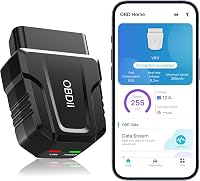
UMEIJA OBD2 Scanner Diagnostic Tool: Best for most drivers
- Bluetooth 5.4
- iOS and Android app
- 9 protocols
- Reads live data and VIN
A dual-platform Bluetooth adapter with a dedicated app, wide vehicle coverage and live data charts for beginners and experienced DIYers.
Pros
- Works with iPhone and Android
- Free dedicated app with how-to guides
- Covers over 96% of cars from 1996
Cons
- App needed for every function
- Fault codes clear only after a real repair
The UMEIJA V011 is the pick for most drivers because it doesn't force a platform choice. It pairs with iOS and Android through Bluetooth 5.4, and the free dedicated app is the same on both, so the instructions match whichever phone you carry.
The adapter measures 3.8 by 2.5 by 3.8 inches and covers nine protocols, from the older KWP2000 and J1850 standards up to CAN.
It reads diagnostic trouble codes, live sensor data, the VIN and freeze frame data, and it runs readiness monitors for emissions testing. Live readings appear in clear charts, so engine coolant temperature or RPM are easy to compare against normal values.
You can also save a diagnostic report and share it with a mechanic.
Over 96% coverage of cars from 1996 to today, across makes like Toyota, Honda, Ford, BMW and Subaru, means it should work on a family fleet rather than one model. The app adds how-to guides and video tutorials, and 24-hour email support covers setup problems.
The app is the only way in, so a dead phone means no scan.
The honest limit is that a cleared code only stays away when the repair is real. If the fault isn't fixed, the code returns, and some faults need a shop computer to clear.
The product also notes that some apps pair inside the app rather than in phone settings, which trips up iPhone users who try the settings route first.
Veepeak Mini Bluetooth OBD2 Scanner: Best for Android-only compact setup
- Compact profile
- Android only via Classic Bluetooth
- Generic engine diagnostics
- Works with Car Scanner and Torque
A tiny adapter for Android owners who already use third-party apps and only need engine codes and live sensor data.
Pros
- Very small footprint
- Works with popular Android apps
- One-year replacement warranty
Cons
- Does not work with iPhone or iPad
- No ABS, SRS or transmission codes
The Veepeak Mini suits an Android owner who wants the adapter to disappear into the OBD port. It's a small, light unit, about 1.9 by 1 by 1.3 inches and just over an ounce, that plugs in and stays out of the way of your knee, which matters if the port sits low on the dash.
Veepeak says to press it firmly into the port, because a loose fit causes an unstable connection.
It speaks Classic Bluetooth and works with third-party apps such as Car Scanner, Torque and OBD Fusion. You read and clear engine codes, view live sensor data and freeze frame, and check readiness monitors.
It won't pair with an iPhone or iPad, so iOS users need a different adapter, and some Android car stereos and head units aren't supported either.
The trade-off against the UMEIJA is depth. Veepeak's adapter handles generic engine diagnostics only, so no ABS, SRS, TPMS or transmission codes and no oil light reset or injector coding.
For a driver who just wants to know why the check engine light is on, that's a fair swap for a smaller body. It carries a one-year replacement warranty, and the app requirement means you'll want to check that the app you prefer is on the supported list before you order.
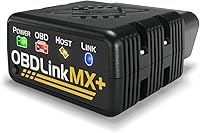
OBDLink MX+ Bluetooth Scanner: Best for app and platform flexibility
- iOS, Android and Windows
- Enhanced OEM support
- Over-voltage protection
- Sleep mode
A pocket-size adapter with broad app support and extra access to manufacturer networks on common brands.
Pros
- Works across iOS, Android and Windows
- Enhanced support for several major brands
- Sleep mode and over-voltage protection
Cons
- Premium price tier
- Requires a third-party app for most features
OBDLink MX+ is the adapter to choose when your phone or laptop might change. It works with iOS, Android and Windows, so the same unit serves an iPhone today and a Windows laptop later.
It's about 2 by 1 by 1.8 inches and weighs 28 grams, so it sits flush in the port without blocking legroom.
It's recommended for third-party apps including FORScan, Torque, BimmerCode, DashCommand and Carista. Beyond standard OBD-II, it reaches advanced networks used on many late-model GM, Ford, Mazda, Nissan and Toyota vehicles.
That gives you more live parameters on those brands than a basic adapter, including ABS, SRS and TPMS readings on supported models. For some GM models, the third-party obdCANex app can even control windows, door locks and remote start.
Two details matter for daily use. Over-voltage protection and an intelligent sleep mode mean it can stay plugged in without draining the battery.
Firmware and software updates are free for the life of the device, and the box includes a zipper case.
Against the UMEIJA it costs more and asks you to install your own app. That's the point: you pick the app that fits your car, and the adapter keeps up.
Check the compatibility guide first, since enhanced features vary by model year.
BlueDriver Bluetooth OBD2 Scanner: Best for enhanced system codes
- No subscription
- ABS, SRS and TPMS codes
- VIN-matched repair reports
- iOS and Android
A phone scanner that reaches beyond engine codes into ABS, airbag, TPMS and transmission systems on supported vehicles.
Pros
- Reads enhanced system codes
- Repair reports matched to your VIN
- No subscription fees
Cons
- Enhanced coverage varies by make and year
- Some features need a phone app
BlueDriver is the pick when the engine light isn't your only worry. It reads and clears enhanced codes for ABS, SRS, airbags, TPMS and transmission systems on supported vehicles, which basic readers here can't touch.
For a used car, that's the difference between knowing an airbag fault exists and guessing.
It also pulls technician-verified repair reports matched to your VIN, with definitions, causes and confirmed fixes. Live data, freeze frames, smog readiness and Mode 6 results are all in the app, and the in-app how-to videos cover common repairs.
There's no subscription: one purchase covers every feature, with no accounts and no data selling.
Coverage is strong for GM, Ford, Stellantis, Toyota, Honda, Nissan, Mazda, Subaru, Hyundai, Mercedes-Benz, BMW and VW, with enhanced communication on some newer Nissan and Mazda models. It handles 1996 and newer gas vehicles plus select light-duty trucks and diesels, and hybrids for standard engine and emissions codes.
The 180-day money-back guarantee lowers the risk of trying it.
The trade-off is that enhanced coverage depends on your exact make and year, and it runs through a phone app, so a dead phone battery means no scan. If your warning light is an ABS or airbag light rather than a check engine light, this is the adapter to start with.
OBDLink CX Bimmercode Adapter: Best for BMW and Mini coding
- Bluetooth 5.1 Low Energy
- Built for BimmerCode
- iOS and Android pairing
- Overvoltage protection
A stable adapter made for BimmerCode users who want to code BMW and Mini modules without risking a dropped connection.
Pros
- Designed for BimmerCode
- Stable connection for coding
- Can stay plugged in
Cons
- BimmerCode app sold separately
- Not aimed at general multi-brand scanning
OBDLink CX is a specialist: it's made for BimmerCode and recommended by the BimmerCode team. If you own a BMW or Mini and want to code comfort and convenience features, this is the adapter to pair with the app.
The two work as a set, so the coverage of protocols and features matches what BimmerCode supports.
It's the only device in the OBDLink line with Bluetooth Low Energy, and it pairs inside the app rather than through phone menus. The rock-solid connection matters more in coding than in reading codes, because dropped packets during a module write can corrupt data.
OBDLink says the CX avoids that and won't brick your ECU. For a module rewrite gone wrong, that's the difference between a setting change and a dealership bill.
It also runs the OBDLink app for live parameters, diagnostics and check engine light clearing, and an advanced sleep mode plus overvoltage protection let it stay plugged in. The unit is small at 1.8 by 1.3 by 0.9 inches, and firmware updates are free.
A three-year warranty covers the long run.
The trade-off is scope. BimmerCode is sold separately, and vehicle-specific diagnostics need an in-app purchase.
The adapter is aimed at BMW and Mini rather than a multi-brand garage, so pick it for coding one German car, not as the family's only scanner.
Foxwell NT301 Code Reader: Best for smog check prep
- 2.8-inch color screen
- I/M readiness hotkey
- Live data graphing
- Lifetime free updates
A handheld reader with a clear screen and one-click readiness check that suits drivers facing an emissions test.
Pros
- One-click I/M readiness check
- Live data graphs on a color screen
- No app or phone needed
Cons
- Corded connection only
- No Bluetooth pairing
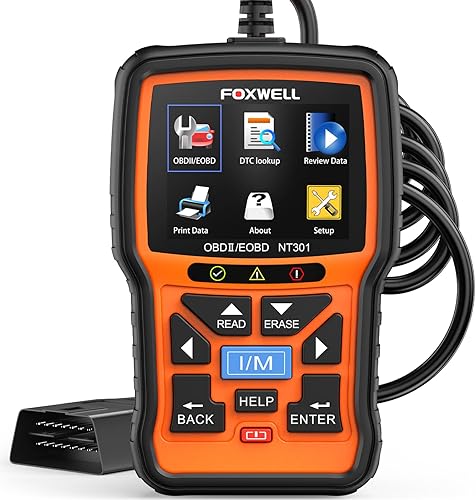
The Foxwell NT301 is the corded pick for anyone facing an emissions test. Its dedicated I/M readiness hotkey and red-yellow-green LEDs tell you whether the monitors are ready before you drive to the test center.
Green means good status, yellow means further diagnosis, and red means urgent repair.
It reads and clears engine codes in one click and shows live data as graphs on a 2.8-inch color screen. The screen stays readable in daylight, and there's an O2 sensor test and an EVAP system check for deeper engine work.
It supports all five OBD-II protocols and covers 10,000+ vehicles from 1996 onward, plus many 2000 and newer European and Asian models.
It powers from the car's port, so there's no battery or setup, and updates are free for life. The trade-off against the Bluetooth picks is the cable: you can't watch live data from the passenger seat or log a drive on your phone.
It also can't scan ABS, EPB or A/C systems, handle bidirectional controls or do calibration. Updates need a Windows PC, since Mac and iOS aren't supported.
If your main worry is a smog check or a warning light you want to read without a phone, the NT301 is the simplest tool here.
BLCKTEC 440 Bluetooth OBD2 Scanner: Best for battery and charging checks
- Bluetooth
- Battery and charging system test
- Live data graphing
- Printer compatible
A phone-connected reader that adds a battery and charging system test to the usual engine code and live data functions.
Pros
- Battery and charging system test
- Color screen and live data graphs
- Free lifetime updates
Cons
- Not the fastest Bluetooth option here
- Engine-focused diagnostics only
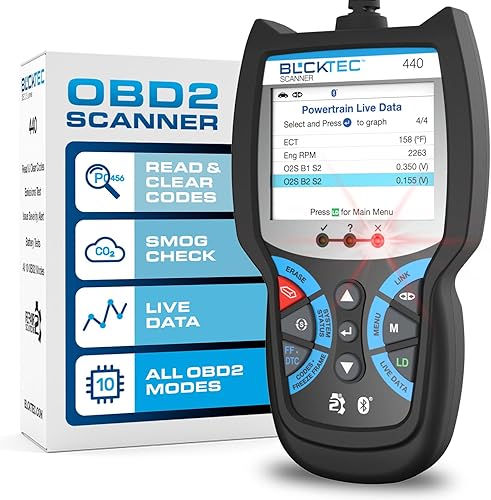
The BLCKTEC 440 adds one thing most adapters here skip: a battery and charging system test. If you've had a slow start or a battery light, it tells you whether the battery or the alternator is the likely problem.
That's a useful second opinion before you buy a new battery.
It reads and clears trouble codes, checks emissions readiness and resets system monitors, and shows live data as graphs. The 2.8-inch color screen and printer compatibility help if you want a paper record for a shop visit.
The unit is about 6 by 3.4 by 1.1 inches and weighs 7.8 ounces. Free lifetime updates and a one-year limited warranty cover the long run.
Against the UMEIJA it's a narrower tool. It's Bluetooth and works with iOS and Android, but it's engine-focused and doesn't reach ABS or SRS.
Its real advantage is the electrical test, which matters on an older car with a tired battery. The app covers English, French and Spanish.
Choose it if you want one adapter that also checks the charging system. Skip it if you need enhanced system codes or the widest brand support.
ANCEL AD310 Code Reader: Best for a simple first code reader
- 2.4-inch screen
- All OBD-II protocols
- Live data and freeze frame
- No battery needed
A low-cost corded reader that handles engine and emission codes without a phone or app.
Pros
- Simple plug-and-read setup
- Reads live data and freeze frame
- Sturdy cable and compact body
Cons
- Emission-related codes only
- No phone app or Bluetooth
The ANCEL AD310 is the no-frills corded reader. It plugs into the port, powers from the car and shows engine and emission codes on a 2.4-inch screen.
No battery, no app, no pairing. At 8.9 by 6.9 by 1.4 inches and 12 ounces, it's a handheld unit rather than a pocket adapter.
It reads and clears codes, shows live data and freeze frame, checks I/M readiness and reads vehicle information. It supports all five OBD-II protocols and covers 1996 US-based, 2000 EU-based and Asian cars.
A 2.5-foot cable with thick insulation and a compact body make it easy to store. ANCEL runs each unit through a 48-hour aging test before it ships, which speaks to build quality.
Its limit is clear: it only diagnoses emission-related issues. If the engine fault isn't tied to the emission system, it can't read it.
It also can't do resets. Against the AD410 below, it has a lower-resolution screen and no built-in code library.
Pick it as a glovebox tool for reading a check engine light quickly. Don't expect enhanced systems or a phone app.
ANCEL AD410 Code Reader: Best for code definitions on screen
- 42,000+ built-in DTC lookups
- 2.4-inch color screen
- I/M readiness
- O2 and EVAP tests
A corded reader that shows plain code definitions on its screen, so beginners can skip a separate look-up.
Pros
- Large built-in code library
- Color screen with clear menus
- Free software updates
Cons
- Engine and emission codes only
- Needs a cord
The ANCEL AD410 is the friendlier version of the AD310. Its 42,000+ built-in code definitions appear on screen, so a beginner can read what a code means without opening a browser.
That's the upgrade most first-time buyers want.
It handles the full set of basic OBD2 functions: read and clear codes, live data, freeze frame, I/M readiness, O2 sensor test, EVAP test, vehicle information and MIL status. The 2.4-inch color screen and clear menus suit new drivers and home mechanics.
It also shows live RPM, coolant temperature and fuel trim as you drive.
It needs no app or Bluetooth, so there's nothing to pair or charge. Updates are free, and ANCEL offers support for setup and compatibility questions.
It measures about 3 by 1 by 4.9 inches and weighs 10.6 ounces.
The trade-off against the AD310 is screen size and the built-in library; the trade-off against the Bluetooth picks is that you can't log a drive on your phone. Like the AD310, it reads engine and emission codes only, with no ABS or SRS.
ANCEL also warns it won't work on some Fiat, Alfa, Lancia, certain Peugeot, Citroen and Renault models or Russian cars, so check yours first. Updates need Windows 7, 8 or 10.
How these Bluetooth OBD2 scanners were compared
We compared the nine adapters on the specs that change daily use: phone platform, connection type, which systems each one can read and how much of the vehicle fleet each covers. Scores weigh those specs against what a typical buyer wants from a phone scanner.
The first cut was platform. Five adapters here support iPhone and Android, and one is Android-only.
A great adapter on the wrong phone is useless, so platform came before features.
Next came system depth. Basic readers handle engine and emission codes.
BlueDriver and OBDLink MX+ reach ABS, SRS and TPMS on supported vehicles. The OBDLink CX is built for BMW coding rather than general scanning.
Coverage and app support set the rest. UMEIJA cites over 96% of makes, Foxwell 10,000+ vehicles and BlueDriver lists its strongest brands.
We also noted protection features such as sleep mode and over-voltage protection, because an adapter left in the port shouldn't drain the battery. Firmware update policies, warranty length and whether an app is included rounded out the picture.
| Product | Best for | Connection | Phone support | Vehicle coverage | Our score |
|---|---|---|---|---|---|
| UMEIJA OBD2 Scanner Diagnostic Tool | most drivers | Bluetooth 5.4 | iOS and Android | 1996 and newer, over 96% of makes | 9.6 |
| Veepeak Mini Bluetooth OBD2 Scanner | Android-only compact setup | Classic Bluetooth | Android only | 1996 and newer cars and light trucks | 9.4 |
| OBDLink MX+ Bluetooth Scanner | app and platform flexibility | Bluetooth | iOS, Android, Windows | OBD-II plus advanced GM, Ford, Mazda, Nissan and Toyota networks | 9.2 |
| BlueDriver Bluetooth OBD2 Scanner | enhanced system codes | Bluetooth | iOS and Android | 1996 and newer gas vehicles, select light-duty trucks | 9.0 |
| OBDLink CX Bimmercode Adapter | BMW and Mini coding | Bluetooth 5.1 Low Energy | iOS and Android | BMW and Mini | 8.4 |
| Foxwell NT301 Code Reader | smog check prep | Corded | 1996 and newer OBD-II cars and light trucks | 8.2 | |
| BLCKTEC 440 Bluetooth OBD2 Scanner | battery and charging checks | Bluetooth | iOS and Android | 1996 and newer OBD-compliant cars | 8.1 |
| ANCEL AD310 Code Reader | a simple first code reader | Corded | 1996 US-based, 2000 EU and Asian cars | 7.7 | |
| ANCEL AD410 Code Reader | code definitions on screen | Corded | 1996 and newer OBD-II cars, SUVs and light trucks | 7.6 |
What should you check before buying a Bluetooth OBD2 scanner?
Check your phone platform first, then the systems you want to read. Those two answers narrow nine adapters to two or three, and the rest is budget and app preference.
Does it work with your phone?
This is the first filter. The Veepeak Mini is Android-only, so an iPhone owner can't use it.
The UMEIJA, OBDLink MX+, BlueDriver and OBDLink CX all pair with iOS and Android. The corded readers need no phone at all.
Windows users should look at OBDLink MX+, which adds Windows to its supported platforms. If you're shopping for an iPhone, the dedicated iPhone scanner roundup lists the adapters that pair cleanly with Apple devices.
Note that some adapters pair inside their app rather than in the phone's Bluetooth menu, so follow the app's steps first.
Which systems do you need to read?
Engine and emission codes are the baseline. Every adapter here reads those.
ABS, SRS, TPMS and transmission codes need an enhanced tool, and BlueDriver is the pick for that. On the corded side, Foxwell's NT301 explicitly can't scan ABS, EPB or A/C systems.
If you own a VW or Audi and want brand-specific functions, our OBD2 scanner for VW guide covers what those cars need. BMW and Mini owners who want coding should look at the OBDLink CX instead.
A basic reader will tell you the engine light is on but won't tell you an airbag sensor failed.
Is a dedicated app better than a third-party one?
A dedicated app, like the one UMEIJA and BlueDriver ship, keeps instructions and features matched to the hardware. BlueDriver's app adds VIN-matched repair reports and how-to videos.
UMEIJA's app includes guides and video tutorials and runs the same on iOS and Android.
Third-party apps such as Torque or Car Scanner work with the Veepeak and OBDLink adapters and offer more customization. The catch is that some charge for advanced features, and imitation apps with similar names exist.
A dedicated app usually covers its core features in the purchase. Pick by whether you want a guided experience or the flexibility to choose your app.
Do you want Bluetooth or a corded reader?
Bluetooth adapters let you watch live data on a bigger phone screen and save logs. They also need a charged phone and a working app.
Corded readers such as the Foxwell NT301 and ANCEL AD410 work with no phone at all.
If your phone often dies in the car or you don't want another app, a corded reader is the simpler choice. The NT301 adds an I/M readiness hotkey that's handy before a smog check.
The AD410 adds on-screen code definitions so you don't need a browser.
How much vehicle coverage do you need?
One car means a basic adapter is enough. A household fleet with several brands needs broader coverage.
UMEIJA cites over 96% of makes, and OBDLink MX+ adds enhanced networks on GM, Ford, Mazda, Nissan and Toyota.
Check the model year as well. These adapters work on 1996 and newer cars in the US.
Older vehicles use OBD-I and need a different tool. Diesel and hybrid coverage varies too: BlueDriver supports select light-duty diesels and scans hybrids for standard engine and emissions codes.
What should you do if the scanner won't connect?
Start with the platform and the pairing method. An Android-only adapter on an iPhone will never connect, and some adapters pair inside the app rather than in phone settings.
The car also has to be started with the ignition on and the adapter seated firmly in the port. Our guide to fixing an OBD2 scanner not connecting walks through the checks in order.
Which Bluetooth OBD2 scanner should you buy?
For most people, the UMEIJA OBD2 Scanner Diagnostic Tool is the best rated Bluetooth OBD2 scanner here because it works on both phone platforms and covers more than 96% of cars from 1996. It reads codes, live data and readiness monitors through one app.
Buy the Veepeak Mini if you're on Android and want the smallest adapter. Pick the BlueDriver if you need ABS, airbag or transmission codes.
Choose the OBDLink CX for BMW coding and the OBDLink MX+ if you might scan from a Windows laptop.
Corded buyers get the Foxwell NT301 for smog prep or the ANCEL AD410 for on-screen code definitions. Whichever you pick, a scanner tells you what the light means; the repair still has to happen before the code stays away.
Our top 3 picks at a glance
-
1
-
2
Best for Android-only compact setup
Veepeak Mini Bluetooth OBD2 Scanner
9.4/10 our score
See it on Amazon -
3
Frequently asked questions
What is the best rated Bluetooth OBD2 scanner overall?
The UMEIJA OBD2 Scanner Diagnostic Tool scores highest here because it works with both iPhone and Android and adds live data charts and VIN reading to basic code clearing. Android-only users can pick the smaller Veepeak Mini.
Do Bluetooth OBD2 scanners work with iPhones?
Some do. The UMEIJA, OBDLink MX+, BlueDriver and OBDLink CX pair with iOS, while the Veepeak Mini works with Android only.
Check the phone platform before buying, because an Android-only adapter won't pair with an iPhone.
What can a Bluetooth OBD2 scanner do that a corded reader cannot?
A Bluetooth adapter sends data to your phone, so you get larger charts, saved reports and app updates. Corded readers keep everything on a built-in screen and never need a phone.
Basic engine code reading is the same on both.
Will a Bluetooth OBD2 scanner clear a check engine light?
It can clear engine codes after the underlying fault is repaired. If the problem isn't fixed, the light usually comes back.
Clearing a code without a repair can also hide a problem before an emissions test.
Why won't my Bluetooth OBD2 scanner connect to my phone?
The most common causes are an Android-only adapter on an iPhone, Bluetooth turned off in phone settings, or an adapter that needs pairing inside the app rather than in the phone menu. Check the platform first, then the pairing method.
Do Bluetooth OBD2 scanners work on older cars?
They work on most cars sold in the US from 1996 onward, because those vehicles use OBD-II. Cars built before 1996 use older OBD-I systems that these adapters don't support.
Check the model year before buying.